
E-Pension Portal KPK — Troubleshooting Login, Registration & Case Status Problems
If you are a Khyber Pakhtunkhwa government school employee approaching retirement, or a family member following up a pension case, the E-Pension system can feel confusing. That is usually not because you have done something wrong, but because the system itself is changing, and because most of the work still happens through your department rather than through a single website you can log into on your own. This guide explains what the system does and does not do, what to check first when something goes wrong, what information to have ready, and which office to take each problem to.
The demand for clear answers is real. In Search Console data for edudesk.pk, the query “e pension portal registration” has drawn 132 impressions and “e pension kpk” 201 impressions, with near-zero clicks. People are searching for help with registration and with the portal, and not finding a page that answers them. This page is written for those searches.
What the E-Pension system does — and does not do
There is no single public E-Pension portal where any KP employee can open a website, type in a CNIC number, and watch their own pension case move step by step. That is the honest position, and it matters: if a website, a social media post, or an agent promises you a direct CNIC login that shows your live case status, treat that promise with caution and check it against the official route below before sharing personal details or paying anyone.

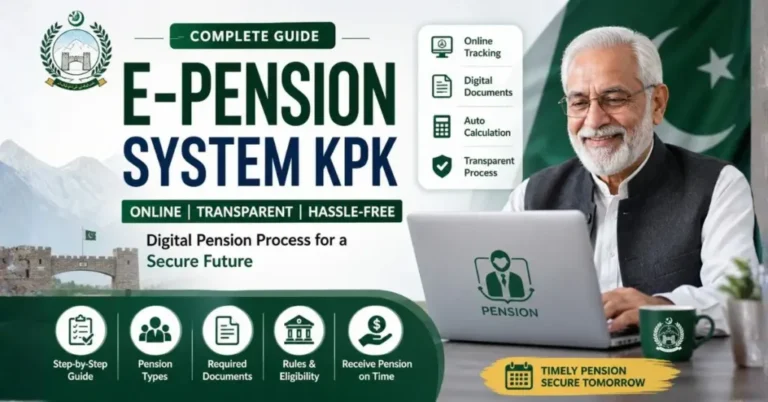
What does exist is a department-led digital system. The Performance Management and Reforms Unit (PMRU) of the Government of Khyber Pakhtunkhwa describes its Pension Envelope System as an ICT-based system for processing pre-pension cases, in which pension documents are generated automatically and the overall status of a pension case can be tracked online through the KP Employee Portal. Crucially, the department initiates the case and inputs the basic information, which the retiring employee provides. The retiring employee can track the status of the case through the KP Employee Portal. The system was implemented in establishment departments in pilot mode.
The provincial government also approved the Ehsaas E-Pension System, announced in September 2025, to become operational from January 2026, with a formal inauguration scheduled for 15 January 2026. Under that plan, an Ehsaas Pension Dashboard would serve as a centralised, paperless platform; employees would submit their pension cases six months before retirement; documents would be scanned and uploaded directly; the system would generate time-bound tasks for the relevant authorities; and sanction orders, retirement orders, pension papers, and pension payment orders would be generated automatically with legally recognised digital signatures. The system was to be integrated with NADRA, the Accountant General’s office, and banks, so pensions would be transferred directly into retirees’ bank accounts, with an announced aim of cutting processing time from months to two to four weeks.
For school employees specifically, the case runs through the school and district chain: your school head or principal, then the Sub-Divisional Education Officer (SDEO) and the District Education Officer (DEO), up to the Directorate. The department initiates the case and enters the information you provide — the same department-led pattern described above — so a school employee’s first step is always the school office, not a website.
The practical point is the same in both descriptions: in the KP system, your department starts the case, and there is no public CNIC self-registration. That is why most fixes in this guide run through a person in your department or district office, not through a button on a website.
One more distinction matters. There is also a federal e-Pension Portal, run with the Accountant General Pakistan Revenues (AGPR), launched in August 2026 for federal government employees and pensioners. In that federal system, the employee’s department must first upload the employee’s data; registration then needs a CNIC, a personal number, and an active mobile phone number; and after data entry, the employee is issued a unique Pension ID, used to access pension services and track the case. That is the federal system. It is not the KP provincial system, and its Pension ID and registration steps should not be applied to a KP school employee’s case.
Before you troubleshoot: have this information ready
Whatever the problem is, the office you contact will ask for the same core details: your full name as recorded in service records, CNIC number, and personal number; designation, BPS, school or office name, and district; date of retirement (or expected date) and a copy of the retirement notification or order if issued; your Last Pay Certificate (LPC) or last pay slip, verified by the relevant payroll section; your service book, or service statement if you are an officer; bank account details on the Revised Option Form for direct credit of pension; your commutation option, if chosen; and, if a Pension Payment Order (PPO) has been issued, its number and date. For a family pension case, also have the death certificate, the NADRA Family Registration Certificate (FRC) listing dependent family members, and the CNICs of the family pensioners. Keep originals safe, carry copies unless an office specifically asks for an original, and do not share your CNIC number, personal number, or login credentials with anyone who contacts you claiming to fix your pension case.
1. Login problems
Check first. Work out which system you are trying to log into. The KP Employee Portal is a department dashboard and mobile app through which the department manages pension cases and the retiring employee can track status. There is a KP Employee’s Portal mobile app in which a government servant can log in with a personal number and CNIC — but it only lets you check whether your retirement case has been initiated, and it does not register a pension case for you: the department still initiates the case. There is no public E-Pension *website* where you can register yourself with a CNIC and follow your case step by step. If a website you found through a search result asks you to log in with your CNIC as a username, stop — that is not the KP route described in the official sources, and no public password-reset page for such a website login was found in the sources checked for this guide.
Have ready. Your CNIC number, personal number, and the name of the person in your school or district office who handles pension cases, plus any login details your school or office issued to you for a department system.
Where to take it. Your school head or principal first, then your SDEO or DEO office. A login problem for a teacher is a problem for that chain to resolve — the principal or SDEO can confirm whether your record has been entered and whether your case has been initiated. If your department has not yet initiated or entered your case, no login will show it, and the fix is the data entry, not the password.
2. Registration problems: “record not found” or “not registered”
Check first. In the KP system, registration is not something you do alone on a website. The PMRU description states that the department initiates the case and inputs the basic information provided by the retiring employee. So a “record not found” result usually means one of three things: your department has not yet initiated or entered your case, your personal details were entered with a spelling or number that does not match your CNIC and service record, or you are looking in the wrong system — for example, a federal portal instead of the KP system.
Have ready. Your CNIC, personal number, date of birth as recorded in your service book, and the date your department says it submitted or entered your case.
Where to take it. Your school or office, then your SDEO or DEO office. Ask two questions and note the answers: has my case been initiated and entered in the system, and under exactly which name, CNIC number, and personal number? If any detail differs from your CNIC or service book, that mismatch is the most likely cause, and it is corrected through the department that entered the record. Do not pay anyone who offers to “register” you on the portal for a fee. Registration in the KP system runs through your department.
3. Case status not updating
Check first. A status that does not change usually means the case has not moved to the next office yet, not that the website is broken. Pension cases move in stages: your department prepares and forwards the pension papers; the Accounts office — the Accountant General Khyber Pakhtunkhwa — finalises the case and issues the Pension Payment Order (PPO); and the bank then credits the pension. A case can sit at any one of those stages, and the tracking view only changes when the office holding the case acts on it. The PMRU states that a retiring employee can track the status of the case through the KP Employee Portal, and the Ehsaas E-Pension announcement said the new system would generate time-bound tasks for the relevant authorities and cut processing from months to two to four weeks. Those are the stated aims of the new digital system. For cases still on the older route, no published timetable applies to every case, and this guide does not invent one.
Have ready. The date your case was forwarded by your department, the name of the office it was forwarded to, and any reference number your department or district office gave you. If a PPO has been issued, its number and date.
Where to take it. First, your department or DEO office, to confirm the case was actually forwarded and on what date, and whether anything was returned for correction. If the department confirms the case was forwarded, the next office is the Accounts office — the Accountant General Khyber Pakhtunkhwa, whose pension section finalises pension cases and issues PPOs — or your District Accounts Office for district cases. Ask which office currently holds the file and what, if anything, it is waiting for. That single question is more useful than asking for a date, because the answer is usually a missing document or a verification step.
4. Document upload problems, or a case returned for missing papers
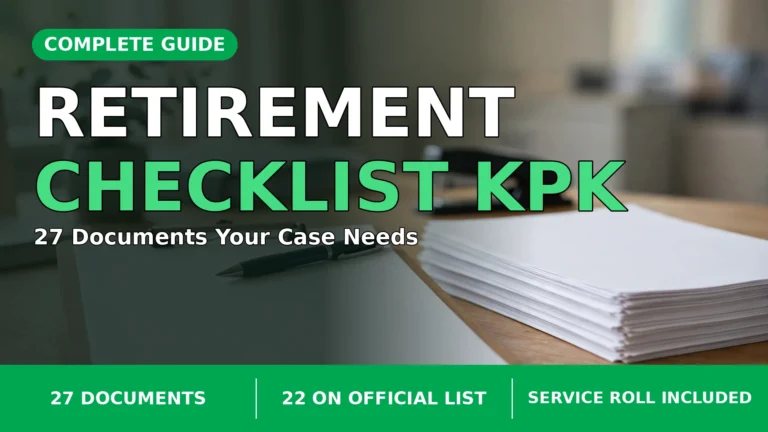
Most stuck pension cases are document cases. The Accountant General Khyber Pakhtunkhwa publishes the full list of documents to be presented to the Accounts office for a pension, and it is the most reliable checklist to work from. The items people are least often ready for are the original service book, with page 3 re-attested by the current Drawing and Disbursing Officer (DDO), plus an attested copy (or a service statement for officers); the Last Pay Certificate verified by the payroll section; the Estate Office No Objection Certificate, or a certificate that no government accommodation was provided; and the list of dependent family members as per the NADRA Family Registration Certificate. The full list also includes the department’s forwarding memo, the pension application, pension papers signed by the Head of Department and the pension sanctioning authority, the retirement notification, three attested photographs, attested CNIC copies of the pensioner and spouse, specimen signature and thumb and finger impressions, the commutation option, and bank details on the Revised Option Form.
Check first. If a document was uploaded and the case came back, check which specific item was flagged, and check the scan itself: a scan that is blurred, cropped, or uploaded against the wrong document name will be sent back. The Ehsaas E-Pension plan provides for documents to be scanned and uploaded directly to the system, and a poor scan defeats that.
Where to take it. Your school or office and your SDEO or DEO office for department documents such as the forwarding memo, the retirement notification, and the attested service book; the payroll section for the verified LPC; and the Accountant General Khyber Pakhtunkhwa or your District Accounts Office for the Accounts office requirements. For the complete document list with the forms, see the [Retirement Documents Checklist](/retirement-documents-checklist-kpk/).
5. A pension case that seems stuck, or no pension after retirement
Check first. Find out where the case actually is. Ask your department: was the case forwarded, on what date, and to which office? Then ask that office: has the case been received, is it complete, and has a PPO been issued? A case that has not been forwarded is a department problem. A case that was forwarded but is incomplete is a documents problem, covered above. A case that is complete but has no PPO yet is with the Accounts office. And a case with an issued PPO but no payment is a bank problem — check the bank account details on the Revised Option Form, and confirm with your bank that the account is active and in the pensioner’s name.

One option the Accountant General Khyber Pakhtunkhwa records is anticipatory pension: when a government servant is likely to retire before the pension can be finally assessed, the sanctioning authority furnishes the Audit office with the particulars of service, and the Audit office sanctions the pension amount it believes the government servant to be entitled to, after the most careful summary investigation. If your retirement date has passed and your pension has not been finally assessed, ask your department whether anticipatory pension applies to your case.
Where to take it. In order: your school or office, your SDEO or DEO office, and then the Accountant General Khyber Pakhtunkhwa or your District Accounts Office. Take a written record of dates — when the case was prepared, when it was forwarded, and what each office said — so each office can see the history without starting from the beginning. For the wider retirement process, see the [Pension and Retirement guide](/pension-retirement-kpk-government-employees/).
6. Family pension cases: the extra documents that cause delays
Family pension cases follow the same route — department, then Accounts office — but they need more documents, and a missing one is the usual reason they stall. On top of the retirement-case documents, the Accountant General Khyber Pakhtunkhwa requires, for family pension on in-service death, the death certificate of the employee, non-remarriage certificates, an affidavit on Pension Form-V, a single widow certificate for a widow only, three sets of the list of particulars of family members and of the descriptive roll, and further certificates for unmarried daughters, widow daughters, divorced daughters, minor children, and disabled children as the case requires. Verification from the Deputy Commissioner or Special Branch of Police is made before the case is processed.
The amounts are fixed in the Accountant General’s published rules. On death in service, the family receives 25% of the gross pension as gratuity and 75% of the gross pension as family pension per month. On death after retirement, the family receives 100% of the net pension drawn by the deceased as family pension per month. Any un-drawn monthly pension of a pensioner who has died is paid to the family as Life Time Arrears. The full family pension rules and document lists are in the [Family Pension guide](/family-pension-kpk/).
Check your pension figures while you wait
A stuck case is also a good moment to check that the figures in your case are right, because a wrong figure is another reason a case comes back. Use the [Pension Calculator guide](/pension-calculator-kpk/) to work through your own numbers. Gross pension is calculated as (Basic Pay × 7 × Years of Service) ÷ 300. Thirty years of qualifying service gives 70% of basic pay as pension. Commutation can be taken up to a maximum of 35% of gross pension for a retiring employee, and up to 25% for a family pension case. Leave Preparatory to Retirement (LPR) is 365 days under Rule 14. Leave encashment is payable up to 365 days, or the leave at your credit, whichever is less. Family pension on death in service is 25% gratuity plus 75% monthly pension; on death after retirement it is 100% of the net pension. If a figure in your pension papers does not match these rules, raise it with your department before the case goes to the Accounts office — correcting a figure after a PPO has been issued takes longer than correcting it before.
Quick reference: where each problem goes
- Cannot log in: check which system you are using and whether your department entered your case — take it to your school head or principal, then the SDEO or DEO office.
- Record not found, not registered: check whether the department initiated and entered the case, and whether the name, CNIC, and personal number match your records — take it to your school or office, then the SDEO or DEO office.
- Status not updating: check whether the case was forwarded, on what date, and to which office — take it to the department or DEO office first, then the Accountant General Khyber Pakhtunkhwa or District Accounts Office.
- Document upload or missing papers: check which specific item was flagged, against the Accountant General’s list — take it to your school or office, the payroll section for the LPC, and the Accounts office for the file.
- Case stuck, no pension after retirement: check where the case is, whether a PPO has been issued, and whether the bank details are correct — take it to the department, then the Accounts office, then your bank.
- Family pension delayed: check whether all family pension documents, including the death certificate, FRC, and non-remarriage certificates, are complete — take it to the department, then the Accountant General Khyber Pakhtunkhwa or District Accounts Office.
Frequently asked questions
Can I register myself on the E-Pension portal with my CNIC? No — not in the KP system as officially described. The department initiates the case and inputs the basic information you provide. The federal AGPR portal, which does use a CNIC, personal number, and mobile number followed by a Pension ID, is a separate federal system.
Why does my case status never change? Usually because the case has not moved to the next office, or because it was returned for a missing document. Ask your department for the forwarding date and the office it went to, then ask that office what the case is waiting for.
How long should a pension case take? The Ehsaas E-Pension announcement set an aim of two to four weeks for the new digital system, down from months under the paper process. That is the announced aim for the new system, not a guarantee for every case, and no single timetable was found that covers cases still on the older route.
What is the single most common reason a case is returned? A missing or incomplete document from the Accountant General’s list — most often the service book with page 3 re-attested by the current DDO, the verified LPC, the Estate Office NOC or no-accommodation certificate, or the NADRA FRC family list. The full list is in section 4 above and in the [Retirement Documents Checklist](/retirement-documents-checklist-kpk/).
For the full step-by-step background to registration and the system itself, start with the [E-Pension guide](/e-pension/), and use the [Pension Calculator guide](/pension-calculator-kpk/) to check your own figures before your case is forwarded.
Sources
- Accountant General Khyber Pakhtunkhwa, Pension page — pension types, family pension rules, anticipatory pension, and the document lists for retirement and family pension cases: https://agkhyberpakhtunkhwa.gov.pk/pension/
- Performance Management and Reforms Unit, Government of Khyber Pakhtunkhwa, KP Employee Portal — department dashboard for pension cases, and the statement that a retiring employee can track the status of the case through the KP Employee Portal: https://pmru.kp.gov.pk/kp-employee-portal.php
- Performance Management and Reforms Unit, Government of Khyber Pakhtunkhwa, Pension Envelope System — department-initiated cases, automatic document generation, and pilot implementation: http://www.pmru.kp.gov.pk/pension.php
- Dawn, 9 September 2025, “In a first, govt to roll out e-pension system in Jan” — approval of the Ehsaas E-Pension System, operational from January 2026, formal inauguration scheduled for 15 January 2026, six-months-before-retirement submission, scanned document upload, digitally signed orders, and the two-to-four-week processing aim: https://www.dawn.com/news/1940601
- CW Pakistan, 27 August 2026, “Government Launches E-Pension Portal To Digitize Pension Services For Employees” — the federal AGPR e-Pension Portal: department data upload first, registration with CNIC, personal number, and active mobile number, Pension ID issued after data entry: https://cwpakistan.com/government-launches-e-pension-portal-to-digitize-pension-services-for-employees/
- EduDesk search data as supplied for this post: “e pension portal registration” 132 impressions and “e pension kpk” 201 impressions, with near-zero clicks.