

PIFRA Salary Slip Not Received? Fix It Fast
If your pifra salary slip not received this month, do not assume your registration has failed or your pay has stopped. In almost every case the slip is sitting in a spam folder, went to an old email address, or was never set up on the email you are checking. This guide works through the five verified causes in the order you should check them, explains what to ask your DDO office, and tells you plainly which fixes need the accounts office and which you can do yourself in a few minutes. Nothing here costs money: the email salary slip is a free government service, and anyone charging you to register or fetch a slip is running a scam.
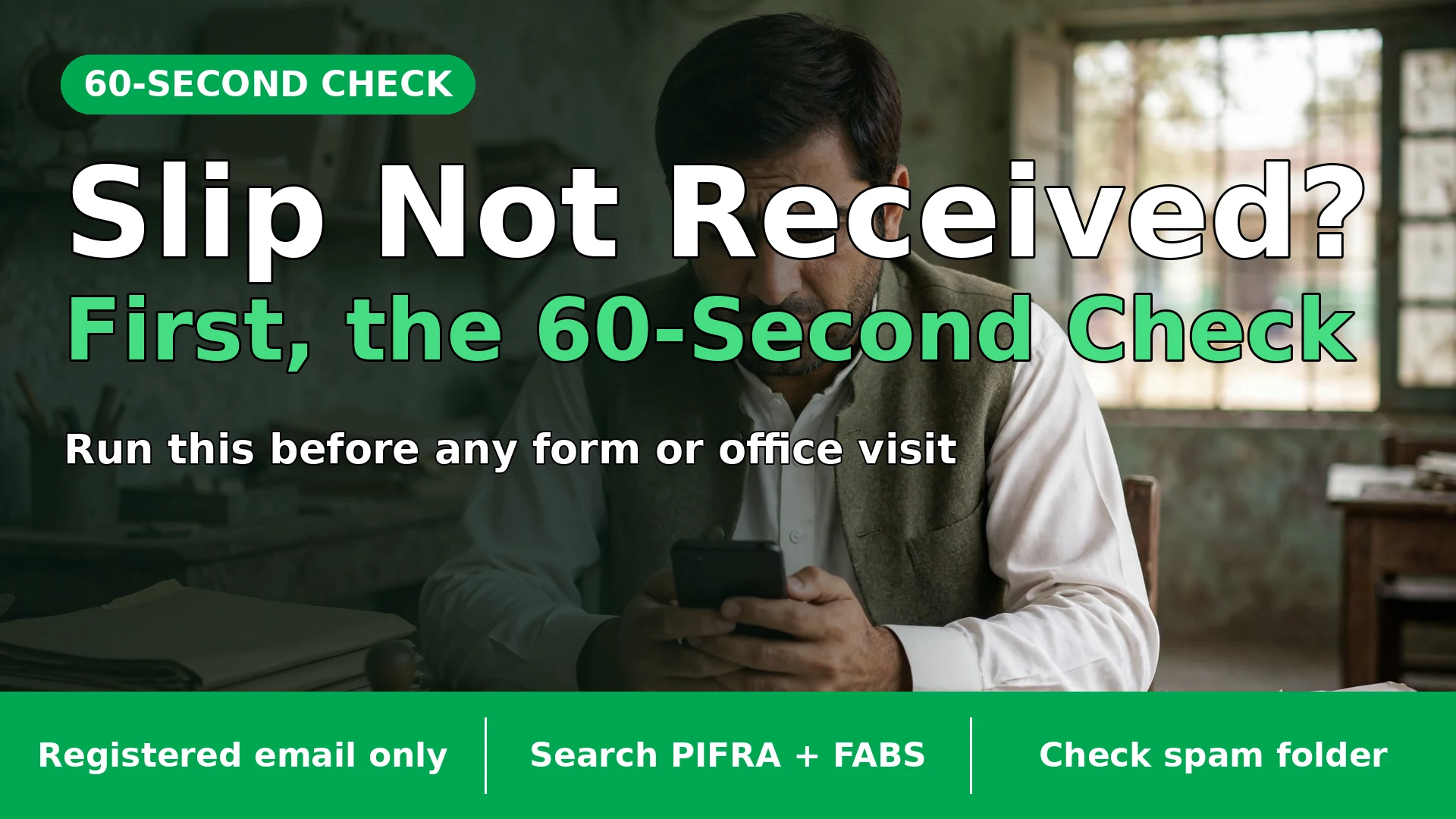
First, the 60-Second Check
Before you touch any form or visit any office, run this check. It resolves the largest share of missing-slip complaints, and it takes about a minute. Open the email account you registered with the salary-slip service, not a second account you also own. Many employees check a second Gmail by mistake and conclude the slip never arrived, when it is sitting in the first account. Search that mailbox for the words PIFRA and FABS. Then open the Spam folder, then the Junk folder, and in Gmail also the Promotions tab. Salary-slip emails are large PDF attachments sent to thousands of employees at once, and mail providers frequently filter them out of the inbox. If the slip is in Spam, open it, mark it as not spam, and add the government sender domain to your contacts so the next month’s slip lands in your inbox. In Gmail, you can make this permanent with a filter: go to Settings, then Filters and Blocked Addresses, create a new filter for the pifra.gov.pk domain, and tick Never send it to Spam. That thirty-second job prevents the same problem next month.
Also check one thing that sounds obvious and is missed constantly: the month itself. Slips typically land in the first week of the month, following the payroll run. If you are checking on the last days of the month, or before the payroll for the new month has run, there may simply be no slip to receive yet. Wait for one full payroll cycle before concluding that something is broken. There is often no confirmation email when you register, and the absence of one proves nothing: in the normal course of events, the slip simply starts arriving with the next payroll cycle. A single missing month, on its own, is not proof that you have been deregistered.
PIFRA Salary Slip Not Received: The Five Verified Causes
| Cause | How to check it | The fix |
|---|---|---|
| Never registered, or registration never completed | Think back: did you ever complete the email registration form, and did a slip ever arrive at this address? | Register once on the official portal, using details that match your payroll record exactly. |
| Slip filtered as spam or junk | Search Spam, Junk and Promotions in the registered account for PIFRA or FABS. | Mark it as not spam and set a filter so the sender domain never goes to Spam again. |
| Wrong or outdated email on record | Confirm which address you registered; check whether you changed addresses since. | Have the old address removed through the accounts office, then register again with the new one. |
| FABS versus PIFRA confusion | Check whether you are looking for a separate FABS login or dashboard that does not exist. | Use the one email system: PIFRA was the project name, FABS is the live system, and the slip still arrives by email. |
| Payroll record mismatch or DDO escalation needed | Check personnel number, date of birth and CNIC against your record; ask whether you are on the payroll. | Ask your DDO to correct the record through the District Accounts Office. |
Work down that table in order. Each row rules out one cause before you move to the next, which is important because the fixes conflict with each other: re-registering helps only if you were never registered, but it can confuse the system if you already are, and it does nothing at all if the real problem is a spam filter or a wrong address on record.
Cause 1: You Never Registered, or Registration Never Completed
The email salary slip does not start by itself. Your salary data already sits in the central payroll system, but the system only knows where to send your copy once you register an email address with it. If no slip has ever arrived at any address you own, the most likely explanation is that registration was never completed. Perhaps the form was opened but never submitted, perhaps verification failed and the attempt was abandoned, or perhaps a colleague’s assurance that “everyone is registered automatically” was simply wrong. Nobody can register on your behalf, and no website other than the government’s own portal can register you.
Registration happens in one place only: the official salary-slip application on the government’s own address, which you can reach from the FABS website or directly at the m.pifra.gov.pk salary-slip address. Before you type anything into it, check that the address ends in .gov.pk. Search results for PIFRA registration are full of lookalike sites, some of which copy the government portal’s design and ask for your CNIC. Those sites cannot register you and cannot fetch your slip, and you should never enter your CNIC, personnel number or email password into one. The full step-by-step registration walkthrough, including the government codes and where to find your personnel number, is in the PIFRA salary slip registration guide on this site. Register once, carefully, and then wait for the next payroll cycle rather than submitting the form again.
One detail of registration trips up many employees: there is often no confirmation email. People wait for a verification link that never comes, assume registration failed, and register again with a different address. Do not do that. In the normal course, your slip simply starts arriving with the next payroll run. If a full cycle passes after a careful registration and nothing has arrived in any folder, move to the next causes below rather than registering a third or fourth time.
Cause 2: The Slip Arrived, but Spam or Junk Swallowed It
This is the number one cause, and it is also the easiest to fix. Mail providers treat bulk PDF attachments with suspicion, and a salary-slip email looks exactly like bulk mail: one sender, thousands of recipients, a large attachment. Gmail users should check Spam and Promotions; users of other providers should check Junk and any bulk-mail folder their provider maintains. Search, rather than scroll: use the mailbox search for PIFRA and for FABS, and check All Mail as well as the inbox, because a filter you set long ago may be filing these messages somewhere you never look.
When you find the slip in Spam, do two things. First, mark it as not spam, which moves that message to the inbox. Second, create a permanent filter so it cannot happen again: in Gmail, Settings, then Filters and Blocked Addresses, then Create a new filter, enter the pifra.gov.pk domain, and tick Never send it to Spam. Add the sender to your contacts as well. If you use a different mail provider, the same idea applies under whatever name that provider gives its filter or safe-sender settings: tell the provider that mail from the government salary-slip domain is wanted mail. Employees who registered with a Yahoo address have historically had more delivery trouble than Gmail users, which is one reason the registration guidance recommends an address you will keep for years and check regularly. If your registered address is one you rarely open, that itself is part of the problem, and the fix is the email change described under Cause 3.
A related trap is the PDF password. Some slips arrive as encrypted PDFs, and an employee who cannot open the attachment may report that the slip “never arrived” when it is in fact sitting in the inbox, unopened. The password is usually your CNIC without dashes, all 13 digits, and in some cases just the last four digits of your CNIC. Try the full CNIC first. If the file opens, the slip was never missing at all.
Cause 3: The Wrong or Outdated Email Is on Your Record
The second most common cause is an address problem: the slip is arriving faithfully every month, but at an address you no longer use. This happens when you registered years ago with an old address, when you changed jobs or phones and opened a new account, or when a single typing mistake during registration sent the slip to a misspelled address or to someone else’s inbox. A small spelling mistake in an email address means the slip goes to the wrong inbox or nowhere at all, and because there is usually no confirmation email, the mistake can go unnoticed for months.
The important fact about this cause is that you cannot fix it on the website. There is no edit-profile button and no self-service email-change option on the portal. The old address has to be removed from your record first, and only then can you register again with the new address. Registering a second address without removing the first usually keeps the slips going to the old inbox, and registering repeatedly with different addresses can confuse the system and delay your slip further. The removal goes through the accounts office: ask your DDO, who routes the request through the District Accounts Office, to have the old email address deleted from your record. Once that is confirmed, register again with the new address, typing it twice exactly the same way, and double-checking it before you submit. This is exactly why the registration guidance stresses using an email you will keep for years, not a work address you might lose access to and not an account you barely check.
How do you know whether this is your cause? If slips used to arrive at an old address and stopped when you changed addresses, or if a colleague in the same office receives slips while you receive none at an address you have used for years, the record almost certainly holds a different address from the one you are checking. Ask yourself which address you actually typed during registration, not which address you use today. If you genuinely cannot remember, your DDO office can confirm the position from the payroll side, which is faster than guessing and re-registering blind.
Cause 4: FABS versus PIFRA Confusion
A growing cause of missing-slip complaints is simple name confusion. PIFRA stands for Project to Improve Financial Reporting and Auditing, the reform project that moved government payroll onto one computerised system. That live system is now called FABS, the Financial Accounting and Budgeting System, run under the Controller General of Accounts. The web address still carries the old name, people still say PIFRA out of habit, and FABS itself now describes its service as E-Slip delivery, replacing physical salary slips with electronic ones. It is one system with two names, not two systems, and there is no separate FABS slip and PIFRA slip to chase.
The confusion causes real harm in two ways. First, an employee who hears that “PIFRA is now FABS” may conclude that the old registration has lapsed and that a new FABS registration is needed, and may start entering personal details into an unfamiliar website. Your existing email registration carries over: the system that emails your slip is the same system under its new name, and a slip that arrived last month under the PIFRA name will arrive this month under the FABS name, to the same address. Second, an employee searching for a FABS login may expect a dashboard where a username and password open the slip, and may conclude that the slip is missing because no such login can be found. There is no such dashboard. There is no official PIFRA app, and there is no login where you enter a username and password to download slips. The slip only ever arrives by email. If you are hunting for a login screen, stop: check your registered email instead, and if you have never registered, complete the email registration described under Cause 1.
The same warning applies to the many third-party sites that now use the FABS name. A site that promises a FABS e-slip download in exchange for your CNIC is making a promise no site can keep: there is no public lookup of government salary data by CNIC, and there should not be, because it would expose everybody’s pay. The legitimate routes to a slip are the registered email, a print from your DDO or accounts office, and your office’s own slip page where one exists. The salary slip download guide on this site sets out all three routes in full.
Cause 5: Your Payroll Record Does Not Match, or You Are Not on the Payroll Yet
If the first four causes are ruled out — you registered carefully, the slip is in no folder, the address on record is the one you check, and you are not chasing a login that does not exist — then the problem is in the payroll record itself, and only the accounts office can fix it. Registration verifies what you type against the payroll database, and verification fails when what you typed and what the office holds are different. The usual culprits, in order, are the personnel number, the date of birth, and the CNIC. The personnel number is the AG Office employee number, usually 8 digits, found on any earlier salary slip or in the payroll register; it is not your CNIC and not your department or school ID, and entering either of those in its place is the single most common reason registration fails. The date of birth must be the one in the government record, not the one you remember, because service records sometimes carry a different date from the CNIC. The CNIC must be all 13 digits with no dashes.
If all three are definitely correct and the slip still does not arrive, the record itself may be wrong, and that is a DDO matter, not a website matter. Sometimes the mistake is not yours at all: the CNIC or date of birth stored in the government’s own record may be incorrect. That wrong detail must be corrected through your DDO and the District Accounts Office, because a wrong CNIC or birth date left in the record can create serious problems later, including in a pension case at retirement. Do not leave it: raise it now, while the missing slip has brought it to light, rather than discovering it years later.
New appointees face a different version of this cause. If you were appointed recently, your record may not be in the payroll yet, and new appointments take a payroll cycle or two to appear. If the post you were appointed against has no position code, the pay has not started at all. In that case no registration trick will produce a slip, because there is no pay record to send. Ask your DDO to confirm two things: that you are on the payroll, and that your post carries a position code. Both answers come from the office, not from the portal.
What to Ask Your DDO Office
When the checks above point to the accounts office, go with a short, specific list rather than a general complaint. A DDO office handles dozens of these enquiries, and a precise request gets a faster answer. Ask, in this order: first, whether your email registration is active and which address it holds; second, whether your personnel number, date of birth and CNIC in the payroll record match the ones you used; third, whether you are on the current payroll run and whether your post carries a position code, if you are newly appointed; and fourth, if you need the slip today, whether the office can print your page from the payroll register. Every month your office receives the payroll register from the District Accounts Office, and your slip is in it, so a print is available the same day even while the email problem is being sorted out. For a bank, a loan file or a case already in motion, that print is the fastest route, and you should still fix the email registration afterwards, because the print depends on somebody being in the office and willing, while the email arrives on its own.
Escalation follows a clear order. Your DDO comes first, because almost every missing-slip problem is a data mismatch that the DDO can correct or route. The District Accounts Office comes second, if the DDO confirms the record has already been sent up. The Accountant General’s office comes last, for formal matters the district cannot resolve. Going straight to the highest office for a problem your DDO could fix wastes your day and theirs. Take your personnel number, your CNIC and the address you registered with you when you go, and note the date you raised the matter, so that a follow-up visit can pick up where the first one left off.
What Not to Do When a Slip Goes Missing
| Mistake | Why it makes things worse |
|---|---|
| Re-registering again and again with different addresses | It can confuse the system and delay your slip, and it never fixes a spam filter or a wrong address already on record. |
| Paying anyone to register you or fetch your slip | Registration and the slip are free. Anyone charging for them is running a scam. |
| Entering your CNIC on a third-party download site | No site can look up your slip by CNIC. Such sites collect your data or waste your time. |
| Assuming one missed month means deregistration | Slips follow the payroll cycle, and a single missing month may be timing, a filter, or a one-month payroll issue, not deregistration. |
| Ignoring a record mismatch | A wrong CNIC or birth date in the payroll record causes bigger problems later, including at retirement. |
The thread running through that table is patience in the right place and urgency in the right place. Be patient about timing: wait a full payroll cycle after registration, and do not panic over a single missing month. Be urgent about record errors and about spam filters: a wrong detail in the payroll record only gets more costly with time, and a filter takes thirty seconds to set. And keep the two kinds of problem separate. Website problems — a page that will not load, a browser the SAP system rejects — are solved by retrying in an up-to-date Chrome browser outside peak hours, early in the morning rather than at month-end. Record problems — a wrong personnel number, a wrong birth date, an old email address — are solved only through the DDO office, and no amount of retrying the website will fix them.
When to Wait and When to Act
Put the whole guide together and the decision becomes simple. Wait, and check your folders again, if you registered recently and no full payroll cycle has passed, or if the month’s payroll run has not yet produced slips for your office. Act today if the slip is in Spam, by setting the filter; act this week if the address on record is old, by asking for its removal and re-registering; and act through your DDO if your details do not match the record, if you are newly appointed and unconfirmed on the payroll, or if you need a printed slip now. If colleagues in the same office received their slips and you did not, that comparison is useful evidence: the payroll ran, the system sent slips, and the problem is specific to your registration, your mailbox or your record. Take that comparison with you to the DDO office, along with the checks you have already run, and the fix will usually be quick. If nobody in your office received a slip, the cause is more likely a payroll-run delay affecting the whole office, and the DDO office is still the right place to confirm it.
Finally, keep a small habit that prevents most recurrences. Use one email address for the salary slip, an address you will keep for years and check every week. Set the spam filter once and leave it. Keep a note of your personnel number and the address you registered, somewhere you can find them without digging through old papers. And when you change your email address in real life, remember that the salary-slip system does not know: arrange the removal and re-registration through your DDO office at the same time you change addresses, not months later when a missing slip forces the issue. The system is reliable once it is set up correctly; almost every missing slip is a setup detail, a filter, or a record error, and every one of those has a fix in this guide.

FAQs
Why has my PIFRA salary slip not arrived this month?
The most common reasons are a spam or junk filter catching the email, a wrong or outdated email address on your record, a registration that was never completed, confusion between the PIFRA and FABS names, or a mismatch between your details and the payroll record. Check your Spam, Junk and Promotions folders in the registered account first, then work through the other causes in this guide.
How long should I wait before treating a missing slip as a real problem?
Wait one full payroll cycle after registering, because there is often no confirmation email and the slip simply starts arriving with the next payroll run. Slips typically land in the first week of the month. If a full cycle has passed and the slip is in no folder, treat it as a real problem and check your registration and record.
Can I change my registered email address online?
No. There is no edit-profile or self-service email-change option on the portal. The old address must first be removed from your record through your DDO and the District Accounts Office, and only then can you register again with the new address. Registering a second address without removing the first usually keeps slips going to the old inbox.
Is my slip missing because PIFRA became FABS?
No. PIFRA was the project name and FABS is the live system under the Controller General of Accounts, but it is one system, not two. An existing email registration carries over, and there is no separate FABS login or dashboard to find. If your slip is missing, the cause is your mailbox, your registered address, or your payroll record, not the name change.
What should I ask my DDO if my slip never arrives?
Ask whether your email registration is active and which address it holds, whether your personnel number, date of birth and CNIC in the payroll record match the ones you used, and whether you are on the current payroll run. If you need the slip today, ask for a print of your page from the payroll register, which the office receives every month.
Can any website download my salary slip using only my CNIC?
No. There is no public lookup of government salary data by CNIC, and there should not be, because it would expose everybody’s pay. Any site offering a CNIC-only download is collecting your data or wasting your time. The legitimate routes are the registered email, a print from your DDO or accounts office, and your office’s own slip page where one exists.
Sources: FABS Directorate, Controller General of Accounts — official FABS website (E-Slip replacing physical salary slips) · Official salary-slip email registration application (m.pifra.gov.pk) · EduDesk — PIFRA salary slip registration guide · EduDesk — KPK salary slip download, 3 ways.


