

Published: October 23, 2026 • Updated: November 5, 2026
Vendor Number and Position Code: Why a Bill Won’t Pay and a Salary Won’t Start
Two complaints run through every accounts office in the country. Both are, at root, vendor number and position code problems.
“The bill was passed weeks ago and the supplier still hasn’t been paid.”
“He joined three months ago and his salary hasn’t started.”
They sound like different problems. They are the same problem twice: a code that should exist in the system doesn’t — or exists, but points at the wrong thing.
One is the vendor number. The other is the position code. Almost nobody outside the accounts office can explain the difference, which is why these cases sit for months while everyone waits for someone else to act.
THE SHORT VERSION
- Vendor number — how money leaves the government to someone not on the payroll: a supplier, a landlord, a contractor. No valid vendor record, no payment.
- Position code — the code of a sanctioned post. A person can’t draw pay against a post that has no code, or a code that belongs to a different post.
- Both are fixed by your DDO and District Accounts Office, not on any website.
- You can check vendor records online free:
m.pifra.gov.pk/vendor_infoandm.pifra.gov.pk/iban.
ON THIS PAGE
- Which code is your problem — the quick test
- Part one: vendor number
- The five vendor types in the official procedure
- Why “this vendor already exists” keeps happening
- A DDO is a vendor too
- Checking a vendor record and its IBAN
- Payroll IBAN is a different thing entirely
- Part two: position code
- What a position code actually looks like
- The three cases that come up
- Position code, personnel number, DDO code, EMIS code
- Getting a code created or corrected
- FAQs
Vendor number position code: which code is your problem — the quick test

Before anything else, work out which side you are on. It takes one question: is the money going to someone on the payroll, or someone off it?
| What you’re seeing | Which code |
|---|---|
| Supplier’s bill passed, no payment reached the account | Vendor number / IBAN |
| Rent of building not paid to the owner | Vendor number / IBAN |
| T.A bill cleared but the money never arrived | Vendor number / IBAN |
| New appointee’s salary has never started | Position code |
| Promoted to BPS-16, pay still drawn on the old post | Position code |
| Post transferred to another school, pay stopped | Position code |
| Serving employee’s salary went to the wrong account | Payroll IBAN — see below, it is neither |
PART ONE
The vendor number
What a vendor number is
The government cannot transfer money to a name. It transfers money to a record — a vendor account in the accounting system that ties a name to a bank account, with an identifier attached.
Everyone who receives government money without being on the payroll needs one: the stationery supplier, the owner of a rented school building, the contractor who did the petty repair, an official claiming travelling allowance, and — as you will see — your own office.
Your DDO does not create the vendor. The accounts office creates it in the system on a signed request routed through the DDO. What the office contributes is accurate details, and that is precisely where cases fail.
The five vendor types in the official procedure
The FABS Directorate publishes its Revised Procedure of Vendor Creation, which sets out five vendor treatments and what each one needs. This matters to you because supplying the wrong set of details is the most common reason a request bounces back.
| Vendor type | What the record needs |
|---|---|
| 1. Company | Company name together with bank account, bank branch and bank name. NTN — 8 digits, no dashes. GST number where registered — 13 digits, no dashes. Plus the DDO code / fund centre code of the office requesting it, and the city. |
| 2. DDO | The DDO code of the department. No bank account, branch or bank name is required for this type — see the section below. |
| 3. Government employee | Employee name with bank account, branch and bank name. Then two identifiers: Search Term 1 = personnel number, padded with leading zeros to 8 digits; Search Term 2 = CNIC, exactly 13 digits, numeric only, no dashes. |
| 4. Non-government employee | Name with bank account, branch and bank name, and the CNIC in Search Term 2 — again 13 digits, numeric only, no dashes. |
| 5. Bank | Name of bank with branch. The bank key as configured in the system goes in both Search Term 1 and Search Term 2, and must already exist or the entry is rejected. |
Read the source yourself
The procedure — with screenshots of each option — is published as Revised Procedure of Vendor Creation in the Downloads section of fabs.gov.pk. If your accounts office and your supplier are arguing about what is required, that document settles it.
Why “this vendor already exists” keeps happening
This is the error that wastes the most time, and the reason for it is written into the procedure: a duplicate check is enforced on both search terms.
For a government employee those two terms are the personnel number and the CNIC. So the same person cannot be created twice — and that is deliberate. If a request comes back saying the vendor already exists, it usually means one of these:
- The person already has a vendor record from an earlier claim, possibly created by a different office years ago. It does not need creating; it needs finding.
- The record exists but carries old bank details. That is an amendment, not a creation — a different request entirely.
- Somebody previously entered the CNIC with dashes, or the personnel number without its leading zeros, and the system now holds a mangled duplicate.
The two formatting rules worth memorising
CNIC: 13 digits, numbers only, no dashes. Personnel number: pad to 8 digits with leading zeros. A six-digit personnel number such as 123456 is entered as 00123456. Most rejected forms fail on one of these two.
A DDO is a vendor too
This surprises people. Your own drawing and disbursing office can be a vendor in the system — that is vendor type 2 — and for that type no bank account details are required at all. The DDO code identifies it.
It matters when funds move between government offices rather than out to a private party. If someone insists your office must supply a bank account for a DDO-type vendor, the published procedure says otherwise.
Checking a vendor record and its IBAN
You do not need to guess whether a vendor exists. Two free services on the government portal will tell you, with no login:
| Service | Address |
|---|---|
| Vendor Information | m.pifra.gov.pk/vendor_info |
| Vendor Number / IBAN Information | m.pifra.gov.pk/iban |
| Vendor payments processed via MPG | m.pifra.gov.pk/MPG |
Reach them from the Services section of fabs.gov.pk — and type https yourself, because several links there are published as plain http.
Check before you submit the bill, not after it comes back.
A minute on these pages saves a fortnight of follow-up.
What an IBAN should look like
A Pakistani IBAN is 24 characters: PK, two check digits, a four-letter bank code, then the account identifier. The four letters tell you the bank — so a quick sanity check is that the letters match the bank named on the form. An account title that reads one bank while the IBAN carries another bank’s code is a rejection waiting to happen.
Don’t circulate these
A vendor record ties a person or firm to a bank account. Verify what you need on the portal and close it. Screenshots of vendor records and IBAN lists should not go into WhatsApp groups, and lists of employee account numbers should never leave the office.
Payroll IBAN is a different thing entirely
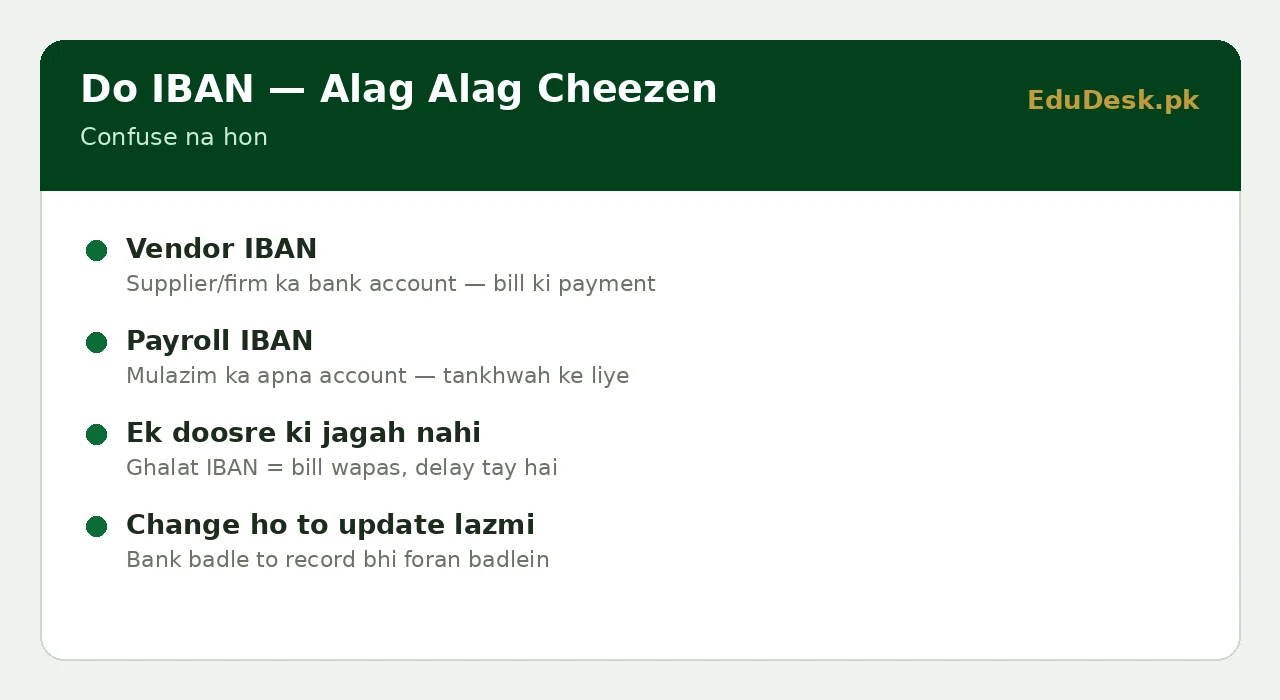
Here is a distinction that causes real confusion.
If a serving employee’s salary goes to the wrong account, that is not a vendor problem. Salary is paid through the payroll, against the employee’s own bank details held in the pay record — not through a vendor number.
That correction goes as an office request to the District Accounts Office, normally as a simple list: serial, name of employee, designation, correct IBAN, remarks. The DDO signs it and the DAO amends the payroll record.
The same person may separately have a vendor record — used when they claim something outside their salary, such as a T.A bill. Fixing one does not fix the other. If a teacher’s salary arrives correctly but their T.A claim never does, the payroll is fine and the vendor record is not.
PART TWO
The position code
What a position code is
A position code is the identifier of a sanctioned post — not of a person.
This is the bit that trips everyone. A school does not have “a PST vacancy” in the accounting system; it has position code such-and-such, which is a PST post at that school, and which is either occupied or not. The person comes and goes. The post, and its code, stay.
Pay is drawn against the post. So if the post has no code in the system, there is nothing for the pay to attach to — and no amount of paperwork about the person will start their salary.
What a position code actually looks like
A position code is an 8-digit number. In KP education offices the codes run in the 800… range — 8001____, 8001____ and so on. Offices normally hold them as a sheet against their DDO code, laid out like this:
| S. No | Personnel No | Employee Name | Description | Position | BPS | Open / Filled |
|---|---|---|---|---|---|---|
| 01 | 00______ | —— | PST | 8001____ | 12 | FILLED |
| 02 | — | — | PST | 8001____ | 12 | OPEN |
| 03 | 00______ | —— | Chowkidar | 8001____ | 03 | FILLED |
Two things follow from that layout, and they explain most position-code cases:
- OPEN means the post exists and is vacant. That is a good position to be in — somebody can be posted against it and paid.
- A post that appears nowhere on the sheet at all is the real problem. It may be sanctioned on paper and still have no code in the system.
Ask your DAO for your own list
Every office can obtain the position-code sheet for its DDO code. Keep it, and check it whenever a post falls vacant or somebody is posted in. An office that knows its own OPEN codes can answer a pay-activation query immediately instead of starting an enquiry.
The three cases that come up
1. No position code exists for the post
The post is sanctioned, someone has been posted against it, and the pay cannot be activated because the system has no code for it. This is the classic new-post or newly-functionalised-school case.
The fix: a written request through your DDO to have a position code allotted for the sanctioned post, taken up with the quarter concerned. Attach the sanction of the post — that is the document the case turns on.
2. The code points at the wrong post
Pay is being drawn against a code that, in the system’s record, belongs to a different post entirely — a BPS-15 teacher drawing against what the record calls an ASDEO post, for instance. Everything looks fine on the salary slip until an audit asks why.
The fix: a request to correct the position code in the record against the actual sanctioned post. Do not let this sit; the longer the wrong booking runs, the larger the audit para.
3. The post has been moved between schools
Rationalisation, bifurcation and merger cases transfer a post from one school to another. The post moves with its position code — which is why these files are always accompanied by a sheet of codes rather than just school names.
The fix: nothing goes forward without the position code listed against each post being transferred. Get the codes onto the proposal from the start.
WRITE THE LETTER IN A MINUTE
EduDesk Letter Bank — Position Code / EMIS Code Allotment →
Covers all three situations: a code that doesn’t exist, a code sitting on the wrong post, and EMIS code allotment for a merged or reopened school. Fill the post, the school and the effect; the letter comes out in the format the office expects.
Position code, personnel number, DDO code, EMIS code
Four codes, constantly mixed up in the same conversation. This table is worth keeping.
| Code | Identifies | Changes when… |
|---|---|---|
| Position code | A sanctioned post — 8 digits. Either OPEN or FILLED. | The post is created, abolished or transferred — not when the holder changes |
| Personnel number | A person on the payroll — the AG Office employee number, 8 digits with leading zeros. | Never, for that employee’s whole service |
| DDO code | A drawing and disbursing office — e.g. AD-0000. | The office is created, split or merged |
| EMIS code | A school, in the education management information system. | The school is merged, closed or reopened |
| Vendor number | A payee who is not being paid through the payroll. | Rarely — details are amended rather than replaced |
The single most useful sentence here: a position code belongs to the post, a personnel number belongs to the person.
When a teacher transfers, the personnel number travels with them and the position code does not.
Getting a code created or corrected
Neither of these is a self-service job. There is no page where you type something and a code appears. Both go through people, in this order:
- Your DDO. Everything starts here, and most cases end here too. The DDO signs the request and holds the sanction documents.
- Your District Accounts Office. They hold the records and make the entries. Take the sanction of the post, or the vendor form with correct bank details, in one visit.
- The department / AG office, where a new post needs to be created in the system rather than merely corrected.
Two practical notes. Attach the sanction — a position-code case without the sanction of the post goes nowhere. And check what already exists before asking for something new: the commonest wasted month is an office requesting a vendor that has existed since 2019.
⚠ No website can do this for you
Search for these terms and you will find private sites carrying government branding, some with forms that ask for your CNIC. Vendor and position code services are look-up services. The official pages ask for a vendor number or a DDO code — not for your CNIC, and not for money.
No private website can create a vendor number, allot a position code, or register you for anything. If a site asks for your CNIC to “check your vendor status”, close it.
RELATED
DDO BER: Budget, Expenditure & Bill Status →
Once the codes are right, this is how you check the budget under a head and track the bill through the accounts office by its token number.
Frequently asked questions
What is a vendor number?
It is the identifier of a payee in the government accounting system — a record tying a name to a bank account. Anyone who receives government money without being on the payroll needs one: suppliers, contractors, building owners, and officials claiming allowances outside their salary.
Who creates a vendor number?
The accounts office creates it in the system, on a signed request routed through your Drawing and Disbursing Officer. No private website can create one.
What details are needed to create a vendor?
It depends on the type. A company needs its name, bank account, branch and bank name, plus NTN as 8 digits and GST as 13 digits, both without dashes. A government employee needs bank details plus personnel number padded to 8 digits and CNIC as 13 digits without dashes. A DDO-type vendor needs no bank details at all.
Why does it say the vendor already exists?
Because a duplicate check runs on both search terms — for an employee, the personnel number and the CNIC. Usually the record already exists from an earlier claim and simply needs finding, or the bank details need amending rather than a new record being created.
How do I check a vendor number or IBAN?
Free, with no login, on the government portal: Vendor Information at m.pifra.gov.pk/vendor_info and Vendor Number / IBAN Information at m.pifra.gov.pk/iban. Reach both from the Services section of fabs.gov.pk.
How many characters is a Pakistani IBAN?
Twenty-four: PK, two check digits, a four-letter bank code, then the account identifier. Check that the four letters match the bank named on the form.
My salary went to the wrong account. Is that a vendor problem?
No. Salary is paid through the payroll against your bank details in the pay record, not through a vendor number. That correction goes to the District Accounts Office through your DDO as an amendment to the payroll record.
What is a position code?
The identifier of a sanctioned post — an 8-digit number, shown against the post as either OPEN or FILLED. It belongs to the post, not to the person occupying it.
What is the difference between a position code and a personnel number?
A position code identifies a post; a personnel number identifies a person. When an employee transfers, the personnel number goes with them and the position code stays with the post.
A new appointee’s salary has not started. Why?
Very often because no position code exists in the record for the post they were appointed against, so the pay has nothing to attach to. Your DDO must take up allotment of a position code, with the sanction of the post attached.
Can I get a position code online?
No. There is no self-service page. It is requested in writing through your DDO and created in the record by the accounts office or the department.
Does the position code move when a post is transferred between schools?
Yes. Rationalisation, bifurcation and merger cases move the post together with its position code, which is why those files carry a sheet of codes rather than only school names.
In short
- Vendor number for money going to someone off the payroll. Position code for a post on it.
- CNIC as 13 digits, no dashes. Personnel number padded to 8 digits. Most rejections are one of these two.
- A DDO-type vendor needs no bank details.
- Check before you request — the record you are asking to create often already exists.
- Attach the sanction of the post to every position-code case.
Free tools for the rest of the paperwork
EduDesk builds tools for KPK school and office staff — in the exact formats the office expects.
Letter Bank
Position code, vendor & office letters
Expenditure Generator
Monthly statement by object code
Salary Slip Downloader
Your slip by name, personnel no & CNIC
KPK Salary Calculator
Pay & allowances from BPS and stage
Disclaimer: EduDesk.pk is an independent resource — not a government website and not affiliated with FABS, the Controller General of Accounts or AG KP. Vendor and position-code procedures follow the official instructions, which always prevail.