
Looking for the form itself, not an explanation? Most people searching for a Source 1, Source 2 or Source 3 form want the document, ready to print. You can fill and download any of the three forms here — the tool lays them out in the exact format your DDO and the District Accounts Office expect, you type your details straight in, and you print or save the finished form. It runs in your browser, nothing is uploaded anywhere, and it works offline once the page has loaded. Then come back to the rest of this guide to check you have picked the right form and filled the fields the way the accounts office reads them.
Source 1, Source 2 and Source 3 Forms: What They Are and How to Fill Them
Every office in Khyber Pakhtunkhwa uses these forms. Hardly anyone can say exactly what they are called.
Ask for “the Source 2 form” in one office and you get an amendment form. Ask in the next office and they hand you something labelled FO2. The official workbook calls neither of those things by those names — it calls them PAY01, PAY02 and so on.
They are all the same family of documents: the payroll input forms. This guide sorts out which is which, which one fixes which problem, and the three entries that get a form sent back.
THE SHORT VERSION
- Source 1 — a new employee. Creates their record in the payroll. Officially
PAY01, the Employee Master File Creation Form. - Source 2 form — a change to someone already on the payroll: promotion, allowance, deduction, bank account. Often labelled FO2.
- Source 3 — the same kind of change, but for many employees in one go. Often labelled FO3.
- Blank forms come from your District Accounts Office, not from any website.
Source 2 Form Download — Online Bhar Kar Print Karein
Sirf form chahiye to pehle ye try karein: online form bharein, download karein aur print kar lein — koi software nahi chahiye. Neeche teeno forms ki mukammal tafseel bhi di gayi hai.
ON THIS PAGE
- Why the names don’t match
- The official form series
- Source 1 — a new employee
- Source 2 — a change to one employee
- Source 3 — many employees at once
- Which form do I need? A quick table
- The three entries that get a form returned
- Where to get a blank form
- Filling one without the typing
- FAQs
Why the names don’t match
The payroll runs on a single system shared across government. Its forms were issued as a numbered series in one workbook — PAY01, PAY02, PAY03, PAY04, PAYF05, PAYF06, PAYF07, plus GPF01 for General Provident Fund and a GCVP (GP Fund Claim Verification Proforma).
Offices never adopted those codes. They number the forms by the order they use them — Source 1, Source 2, Source 3, sometimes written S-1 and S-2, and the amendment forms often get stamped FO2 and FO3.
So the same sheet of paper can be called three different things in three districts. That is not your mistake, and it is why searching for “Source 2 form” throws up so little.
The one rule worth remembering
Don’t go by the number. Go by what you are trying to do — create a record, change a record, or change many records. The table further down maps the job to the form.
The official form series
These are the codes as the payroll input forms workbook itself prints them.
| Official code | What the workbook calls it |
|---|---|
PAY01 | Employee Master File Creation Form — and the sheet notes it is applicable for both Payroll and GP Fund. This is “Source 1”. |
PAY02 – PAY04 | The Amendment Form family — carrying the sections General Data Change and Change in Payments / Deductions, plus the Leave / Absence Form. |
PAYF05 – PAYF07 | Further forms in the same series — including Permanent Loan (new & amendment) and Temporary Loans / Advances. |
GPF01 | General Provident Fund form. |
GCVP | General Provident Fund Claim Verification Proforma. |
Records in the system are grouped into info types, and you will see these printed on the forms — Info Type 0021 is Family Information, Info Type 003 is Payroll Status. When an accounts office says “the 0021 is missing”, it means the family information section.
One honest caveat
The official codes above are fixed. What is not fixed is which code your office means when it says “Source 3” — some offices use that for the bulk amendment, others for the leave form. When in doubt, ask your DAO which form number they want, and describe the job rather than the number.
Source 1 — a new employee
This is the form that brings a person onto the payroll. Until it is accepted, the employee does not exist in the system and no salary can be drawn — which is why a newly appointed teacher can wait months.
What it carries:
- DDO code and date of entry
- Government —
Pfor Khyber Pakhtunkhwa - Employee group (e.g. Active) and employee sub-group — the post, such as Primary School Teacher (PST)
- CNIC and date of birth, each digit in its own box
- Date of entry into government service
- Reason for action — e.g. Fresh Appointment
- Title, last name, first name, father’s name
- District, city and province of domicile; marital status; date of marriage if applicable; number of dependents
- Family information (Info Type 0021) and payroll status (Info Type 003)
Note the sheet’s own instruction that it serves both payroll and GP Fund — so the same form opens the GP Fund record too.
Source 1 alone is not enough
A new appointee also needs a position code for the post they are appointed against. If the post has no code in the system, the pay has nothing to attach to and Source 1 will not start the salary on its own.
Source 2 — a change to one employee
Someone is already on the payroll and something about them changes. That is Source 2 form — the Amendment Form. It has two distinct halves, and you use one or both:
| Section | Used for |
|---|---|
| General Data Change | Name spelling, CNIC, date of birth, bank account, designation, posting — anything about the person or the post. |
| Change in Payments / Deductions | A pay or allowance starting, stopping or changing amount; a deduction being added or removed. Each line carries a wage code and an amount. |
Typical Source 2 form cases in a school office: promotion from BPS-14 to BPS-15, pay activation after appointment, a change of bank account, starting or stopping an allowance, and arrears — which go on the back page, allowance by allowance.
Source 3 — many employees at once
Same idea as Source 2, but a list instead of one person. Offices use it when the identical change applies across a group — a batch of newly appointed teachers, a set of bank account details, an allowance granted to a whole cadre.
It saves a great deal of paper, but it is also where mistakes multiply: one wrong wage code on a bulk form goes wrong for everybody on it.
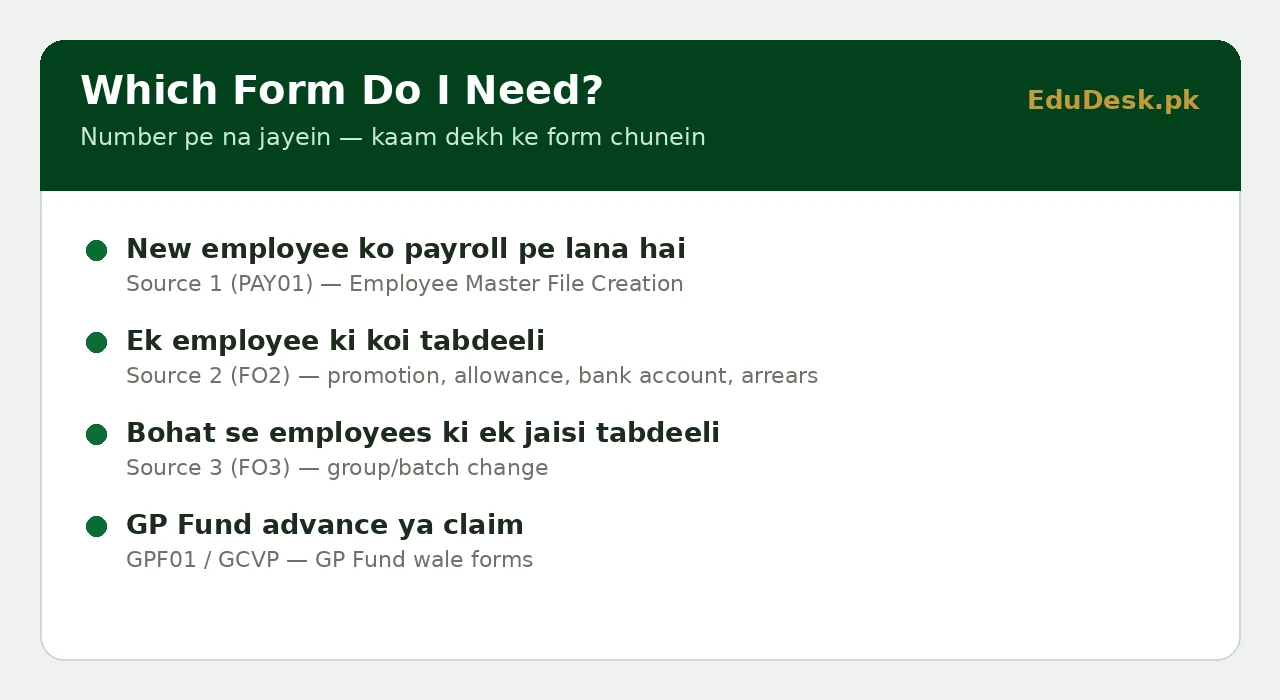
Which form do I need?
| What you are trying to do | Form |
|---|---|
| Bring a newly appointed employee onto the payroll | Source 1 (PAY01) |
| Promotion — BPS changes | Source 2 |
| Pay activation after appointment | Source 2 |
| Change of bank account / IBAN | Source 2 (General Data Change) |
| Start, stop or change an allowance | Source 2 (Payments / Deductions) |
| Claim arrears of an allowance | Source 2 form — back page |
| Correct a name spelling, CNIC or date of birth | Source 2 (General Data Change) |
| The same change for a group of employees | Source 3 |
| Leave or absence to be recorded | Leave / Absence Form (in the same series) |
| GP Fund advance or claim | GPF01 / GCVP |
| Loan or advance — new or amendment | Loan forms in the same series |
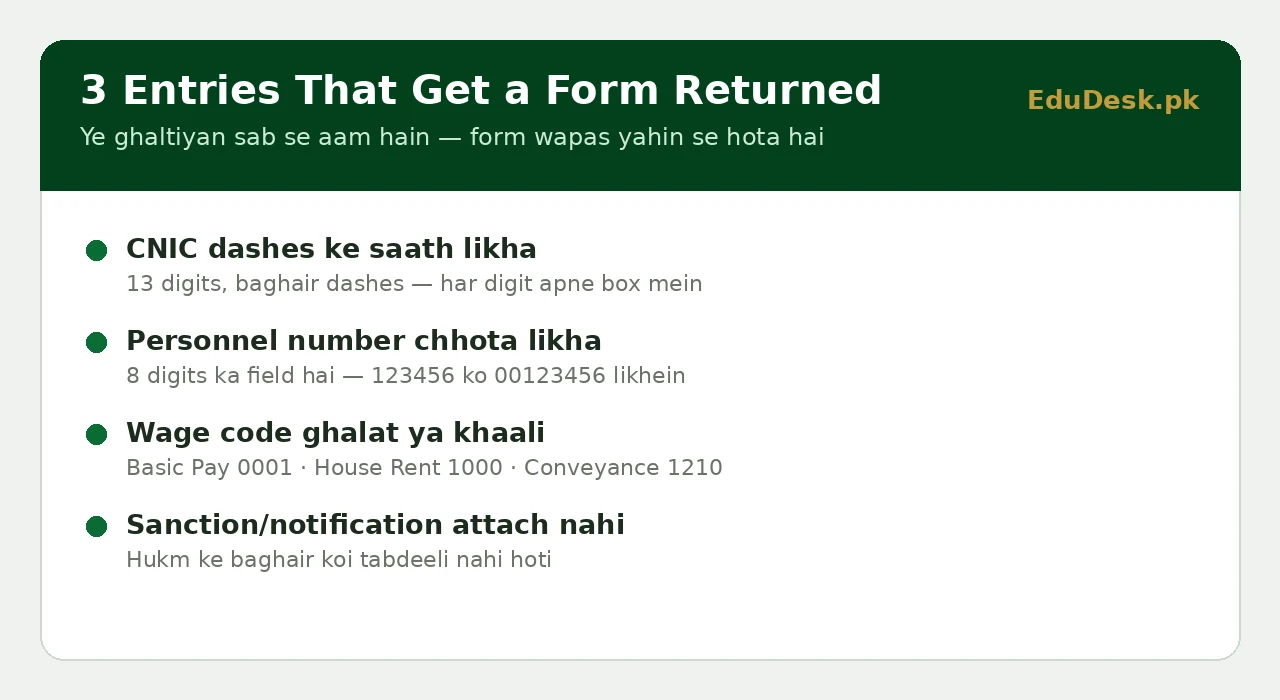
The three entries that get a form returned
Most rejected forms fail on one of these. None of them is about the substance of your case.
1. CNIC written with dashes
The system wants 13 digits, numbers only, no dashes — each digit in its own box. 13101-1234567-8 is wrong on the form; 1310112345678 is right.
2. Personnel number not padded
Where a personnel number is asked for, it is an 8-digit field. A six-digit number gets leading zeros — 123456 is entered as 00123456.
3. Wrong or missing wage code
On the payments and deductions side, the amount means nothing without the right code against it. Basic Pay is 0001, House Rent 1000, Conveyance 1210, GP Fund and Benevolent Fund have their own. A blank or guessed code is an automatic return.
Two more that cost whole weeks: a date written in the wrong order (these forms use DD/MM/YYYY, boxed), and a missing sanction or notification — no amendment moves without the order that authorises it attached.
Where to get a blank form
A lot of people search for “Source 2 form KPK pdf free download”. Here is the straight answer.
The blank forms come from your District Accounts Office.
They are issued as a workbook of payroll input forms, and your DAO or DDO office has the current version. Blank copies circulating on the internet are often out of date, and a superseded form is a guaranteed return.
What we can do instead is help you produce a filled form in the exact layout — boxes, codes and all — which is the part that actually takes the time.
FILL IT WITHOUT THE TYPING
EduDesk Payroll Forms Generator →
Produces PAYO1 (Source 1), FO2 (Source 2 form, with the arrears back page) and FO3 (Source 3) in the real layout — the coding boxes, the wage code list with its Adj column filled in, and the totals worked out. Free, no login, works offline.
Filling one without the typing
The generator follows the same three steps whichever form you pick:
- Choose the form — Source 1 (PAYO1), Source 2 form (FO2) or Source 3 (FO3).
- Enter the office and employee details once. DDO code, personnel number, CNIC and dates go into their coding boxes automatically, in the right order.
- Pick the head from the wage code list rather than typing a code from memory. For arrears, the back page builds a block per allowance.
Then print, or save as PDF. Nothing is uploaded anywhere — the form is built in your own browser.
⚠ A word on websites offering these forms
No private website can submit a Source form for you, create your payroll record, or activate your pay. Those things happen at your DDO and District Accounts Office, on paper that someone signs.
And nothing about filling a payroll form requires you to hand your CNIC to a website. If a site asks for your CNIC to “check your payroll status”, close it.
RELATED
Vendor Number & Position Code: Why a Bill Won’t Pay →
If Source 1 has gone in and the salary still hasn’t started, the post may have no position code. That guide explains how to tell, and what to do.
Frequently asked questions
What is the Source 1 form in KPK?
It is the form that creates a new employee’s record on the payroll. Officially it is PAY01, the Employee Master File Creation Form, and the sheet notes it serves both payroll and GP Fund. It carries the DDO code, CNIC, date of birth, date of entry into government service, employee group and sub-group, domicile and family details.
What is the Source 2 form used for?
Any change to someone already on the payroll — promotion, pay activation, a change of bank account, an allowance starting or stopping, a correction to a name or CNIC, and arrears. It has two halves: General Data Change, and Change in Payments / Deductions. Many offices label it FO2.
What is the difference between Source 2 and Source 3?
The same kind of change, but Source 3 covers a group of employees in one submission instead of one person. Offices use it for batch changes such as bank details for a set of newly appointed teachers.
Why do some offices say FO2 and others say Source 2 form?
Because the official workbook uses neither name — it numbers the forms PAY01, PAY02 and so on. Offices number them by the order they use them, so the same form picks up different local names. Describe the job rather than quoting a number, and your DAO will know which form they want.
Where can I download a blank Source form PDF?
From your District Accounts Office, which holds the current payroll input forms workbook. Blank copies found online are frequently out of date, and a superseded form gets returned. What you can generate online is a correctly filled form in the official layout.
How should the CNIC be written on a Source form?
Thirteen digits, numbers only, no dashes, one digit per box. Writing it with dashes is one of the commonest reasons a form comes back.
Does the personnel number need leading zeros?
Yes, where the field is eight boxes wide. A six-digit personnel number such as 123456 is entered as 00123456.
I submitted Source 1 but the salary still hasn’t started. Why?
Often because the post has no position code in the system, so there is nothing for the pay to attach to. It can also be a data mismatch on the form itself. Your DDO should check both with the District Accounts Office.
Which form is used for arrears?
Source 2 form. The arrears go on the back page, built up allowance by allowance with the wage code and the period against each.
Is there a fee for submitting these forms?
No. Submitting payroll forms through your DDO and District Accounts Office costs nothing. Anyone asking for money to process one is not part of the official route.
In short
- Source 1 creates a record. Source 2 form changes one. Source 3 changes many.
- The official codes are
PAY01,PAY02and so on — local names vary, so describe the job. - CNIC: 13 digits, no dashes. Personnel number: pad to 8. Most returns are one of these.
- Never submit a payments or deductions line without its wage code.
- Blank forms come from your DAO — not from a website.
Free tools for the rest of the paperwork
EduDesk builds tools for KPK school and office staff — in the exact formats the office expects.
- Payroll Forms Generator — PAYO1 · FO2 · FO3 in the real layout
- KPK Salary Calculator — Pay & allowances from BPS and stage
- Salary Slip Downloader — Your slip by name, personnel no & CNIC
- Letter Bank — Office letters, ready to print
Disclaimer: EduDesk.pk is an independent resource — not a government website, and not affiliated with the Controller General of Accounts, the Accountant General Khyber Pakhtunkhwa or any District Accounts Office. Form codes and layouts are revised from time to time; where anything here differs from the form your accounts office issues, the official form prevails. We never ask for your CNIC. (Form codes taken from the government payroll input forms workbook — PAY01 to PAYF07, GPF01, GCVP · Last updated 19 October 2026)



3 Comments
Comments are closed.