Published: October 23, 2026 • Updated: November 21, 2026
This guide shows how to check your DDO BER bill and budget status online for any DDO BER KPK office.
DDO BER: Check Your Office’s Budget, Expenditure and Bill Status Online
Two questions come up in every DDO office, every month.
“How much budget is actually left under this head?” and “Where has my bill got to?”
Both answers are online, free, and take about a minute — if you know which page to open. Most people don’t, because the government moved the whole system under a new name and half the guides on the internet still point at pages that no longer answer.
This guide gives you the official service list, straight from the government’s own site, and then explains how to actually read what comes back.
THE SHORT VERSION
- DDO BER = Budget Execution Report — your budget, releases, expenditure and balance, head by head.
- The live service index is fabs.gov.pk. The old pifra.gov.pk home page is frequently down.
- Budget & expenditure: m.pifra.gov.pk/DDOALV · Bill status: m.pifra.gov.pk/Token_Page
- You need your DDO code and the fiscal year. Nothing else. No login, no CNIC.
ON THIS PAGE
- PIFRA, FABS, BER — what the names mean
- Why pifra.gov.pk keeps failing
- Every official service — the complete list
- What you need before you open it
- How to pull your DDO Budget Execution Report
- How to read a BER: budget vs release vs expenditure
- The object codes you will see
- Bill tracking — where your bill actually is
- Vendor number and IBAN — why bills get stuck here
- Monthly reconciliation: your figures vs the DAO’s
- Common problems and real fixes
- A word on unofficial “DDO BER” websites
- FAQs
PIFRA, FABS, BER — what the names actually mean
Three names, one system. This confuses everybody, so here it is plainly.
| Name | What it is |
|---|---|
| PIFRA | Project to Improve Financial Reporting and Auditing — the reform project that computerised government accounts. The project name people still use out of habit. |
| FABS | Financial Accounting and Budgeting System — what the live system is actually called now, run by the FABS Directorate under the Controller General of Accounts. |
| BER | Budget Execution Report — the report itself. “DDO BER” just means that report filtered to one DDO code. |
So when a colleague says “check the PIFRA BER”, they mean: open the FABS service, pull the Budget Execution Report for your DDO code.
Why pifra.gov.pk keeps failing — and what to use instead
Almost every guide online tells you to start at pifra.gov.pk. That address is unreliable: checked on 23 September 2026, the home page returned a 503 service-unavailable error, while fabs.gov.pk loaded normally.
This is why so many people conclude “the PIFRA site is down” and give up. The services themselves are usually fine — it is the old front door that is shut.
Start here instead
Open fabs.gov.pk and use its Services section. That page is the government’s own index of every live service, and it is the source of the link table below.
The individual service pages still sit on the m.pifra.gov.pk address. That is normal and not a sign of anything wrong — the system kept its old service host after the rename.
Every official service — the complete list
This is the part no other guide gives you in full. These are taken directly from the FABS Directorate’s own Services list, not copied from another blog.
| Service | Address |
|---|---|
| DDO Budget Expenditure (the BER) | m.pifra.gov.pk/DDOALV |
| Bills Status (track one bill) | m.pifra.gov.pk/Token_Page |
| Bills Summary Report | m.pifra.gov.pk/bill_summary |
| DDO Payments Details (cheques) | m.pifra.gov.pk/cheque |
| DDO Reconciliation Statement | m.pifra.gov.pk/DDOALV |
| Vendor Information | m.pifra.gov.pk/vendor_info |
| Vendor Number / IBAN Information | m.pifra.gov.pk/iban |
| Micro Payments Gateway (MPG) | m.pifra.gov.pk/MPG |
| PSDP Execution Report (BER) | m.pifra.gov.pk/d_psdp |
| Scheme-wise Budget Execution Report | m.pifra.gov.pk/pndd |
| Online Salary Slip registration | m.pifra.gov.pk/salaryslip_emp |
| Citizen Data | fabs.gov.pk/citizendata.html |
One thing worth knowing
Several of these links are published on the FABS site as http:// rather than https://. Type https yourself in the address bar. And check the address ends in .gov.pk before you enter anything — see the section on unofficial sites near the end.
Worth downloading while you are there
The same site publishes the reference documents that explain why your accounts look the way they do — the Chart of Accounts, the Manual of Accounting Principles, the Accounting Policies and Procedures Manual (APPM) with its forms, the Financial Reporting Manual and the Handbook of Accounting Guidelines. They sit under the Downloads section of fabs.gov.pk. The Chart of Accounts in particular settles most arguments about which object code something belongs under.
What you need before you open it
Less than you think. The BER is a public financial transparency service — there is no login.
- Your DDO code. The code assigned to your drawing and disbursing office — for KP education offices it typically looks like AD-0000. It is on every bill you submit and every payroll register you receive.
- The fiscal year you want — the running year, or a past one.
- Your government / department, as the portal’s own dropdown words it.
On the field labels
We are deliberately not printing the exact dropdown contents. The portal’s fields change from time to time, and a stale list copied into a blog is exactly how people end up entering the wrong thing. The dropdown on the page is the authority. If what you see there differs from any table online, including ours, trust the page.
How to pull your DDO Budget Execution Report
STEP 01 — Open the service
Go to fabs.gov.pk, open Services, and click DDO Budget Expenditure. It opens the BER page at m.pifra.gov.pk/DDOALV.
STEP 02 — If it says the browser is not supported, don’t give up
The system runs on SAP and is fussy about browsers. Use an up-to-date Chrome on a laptop. This message does not mean the service is down — it is the single most common false alarm.
STEP 03 — Choose the fiscal year
The running year is the default you usually want. Pick a closed year when you are reconciling old figures.
STEP 04 — Choose your government / department
From the dropdown on the page, as it words it.
STEP 05 — Enter your DDO code
Exactly as it appears on your bills. This is the field people get wrong — a transposed digit returns either nothing or somebody else’s office.
STEP 06 — Run it, then read it by object code
You get your budget, what has been released, what has been spent, and what is left — broken down by object code. The next two sections explain how to read that.
How to read a BER: budget, release, expenditure, balance
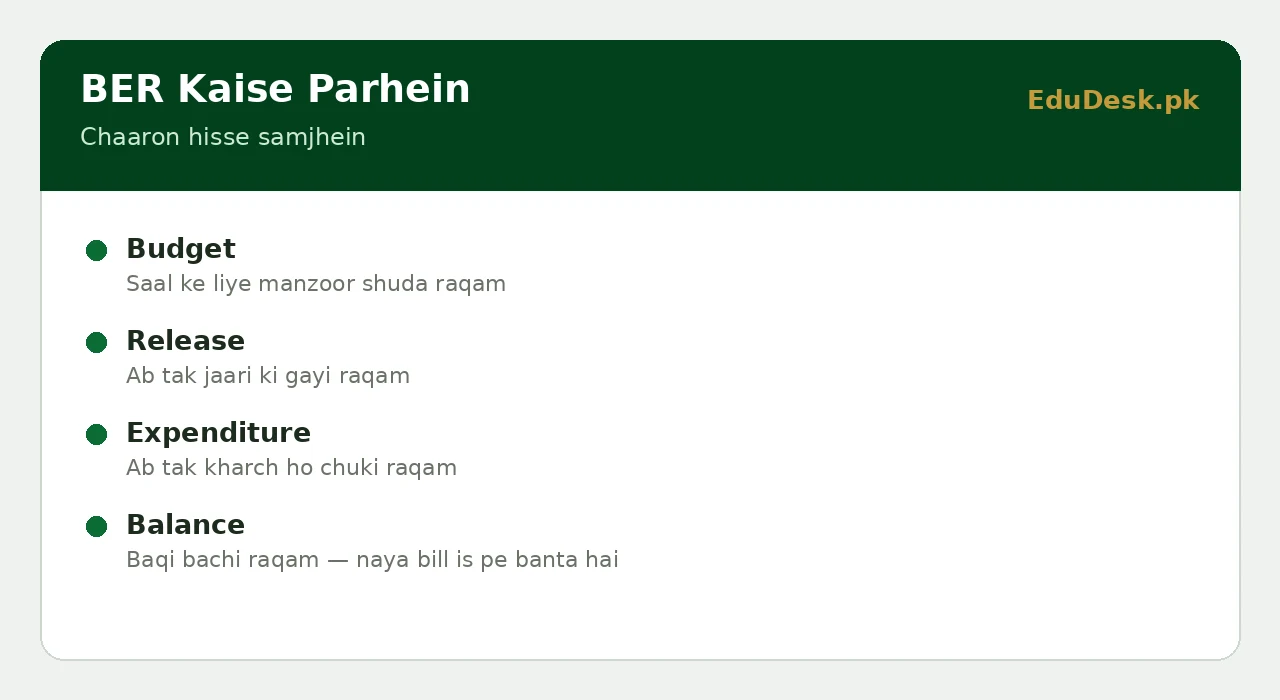
A Budget Execution Report has four numbers that people routinely mix up. The difference between them is the difference between “I have budget” and “I can actually pay this bill”.
| Column | What it actually means |
|---|---|
| Budget / Allocation | What was sanctioned to your office for the year under that head. A plan, not money in hand. |
| Released | How much of that allocation has actually been released so far. Releases usually come quarterly. You can only spend what is released — this is the number that matters. |
| Expenditure | What has already been drawn and paid against that head this year. |
| Balance | Released minus expenditure. This is your real spendable figure today. |
The classic mistake
An office looks at the annual allocation, sees a big number, submits a bill — and the DAO returns it for want of budget. The allocation was never the point. Check the released figure, then subtract expenditure. That is what the DAO is looking at.
The object codes you will see
A BER does not say “house rent”. It says A01202. These codes come from the government’s Chart of Accounts, and they are the same on your budget forms, your bills and your expenditure statement — which is precisely why the BER can be reconciled against them.
Here are the ones a school or sub-divisional education office meets most:
Pay and allowances
| Code | Head |
|---|---|
| A01101 | Pay of Officer (BPS-16 and above) |
| A01151 | Pay of Other Staff (BPS-15 and below) |
| A01102 / A01152 | Personal Pay — Officer / Other Staff |
| A01202 | House Rent Allowance |
| A01203 | Conveyance Allowance |
| A01217 | Medical Allowance |
| A01226 | Computer Allowance |
| A01238 | Charge Allowance |
| A01239 | Special Allowance |
| A01250 | Incentive Allowance |
| A01253 | Science Teaching Allowance |
| A01289 | Teaching Allowance |
| A01207 / A01208 | Washing / Dress Allowance |
| A01278 | Leave Salary |
Non-salary and contingency
| Code | Head |
|---|---|
| A03201 / A03202 | Postage & Telegraph / Telephone & Trunk Call |
| A03301 / A03302 / A03303 | Gas / Water / Electricity |
| A03404 | Rent for Other Building |
| A03805 | Travelling Allowance (T.A) |
| A03807 | P.O.L Charges |
| A03901 / A03902 | Office Stationery / Printing & Publication |
| A03905 / A03906 | Newspapers & Books / Uniform & Protective Clothing |
| A03970 | Other Contingency |
| A09201 / A09601 / A09701 | Hardware (IT) / Plant & Machinery / Furniture |
Retirement and welfare
| Code | Head |
|---|---|
| A04114 | Superannuation Encashment of L.P.R |
| A05216 | Financial Assistance to Families of Government Servants |
Two codes cause more trouble than the rest combined: A01101 and A01151. Pay goes under A01101 for BPS-16 and above and A01151 for BPS-15 and below — and when a teacher is promoted into BPS-16, the pay has to move across with them. Offices that forget this end up with one head over-drawn and another sitting unused.
DO THIS BIT AUTOMATICALLY
EduDesk Expenditure Generator →
Builds your monthly expenditure statement in the E&SE format, object code by object code — the same codes the BER reports against, so the two actually line up when you reconcile.
Bill tracking — where your bill actually is
When a bill is submitted to the District Accounts Office it is entered into the system and given a token number. That token is your tracking number. Keep it — an office that writes the token on its own file copy can answer “where is our bill?” in thirty seconds instead of sending somebody to the DAO.
Apne bill ka status khud bhi check kar sakte hain: CGA ke Bill Tracking System mein apna token number (masalan FID123456) darj karein — bill kis stage par hai, foran nazar aa jayega.
Two services cover this:
- Bills Status — m.pifra.gov.pk/Token_Page — for one specific bill, by token.
- Bills Summary Report — m.pifra.gov.pk/bill_summary — everything submitted under your DDO code, so you can see the whole pile at once.
Once a bill is passed and paid, DDO Payments Details (m.pifra.gov.pk/cheque) shows the payment side — useful when the bill shows as cleared but the money has not reached the account yet.
What the status will and won’t tell you
The page reports the stage the bill has reached in the accounts office. It does not tell you why an objection was raised — only the DAO can tell you that. Take the token number with you and you will get an answer in one visit instead of three.
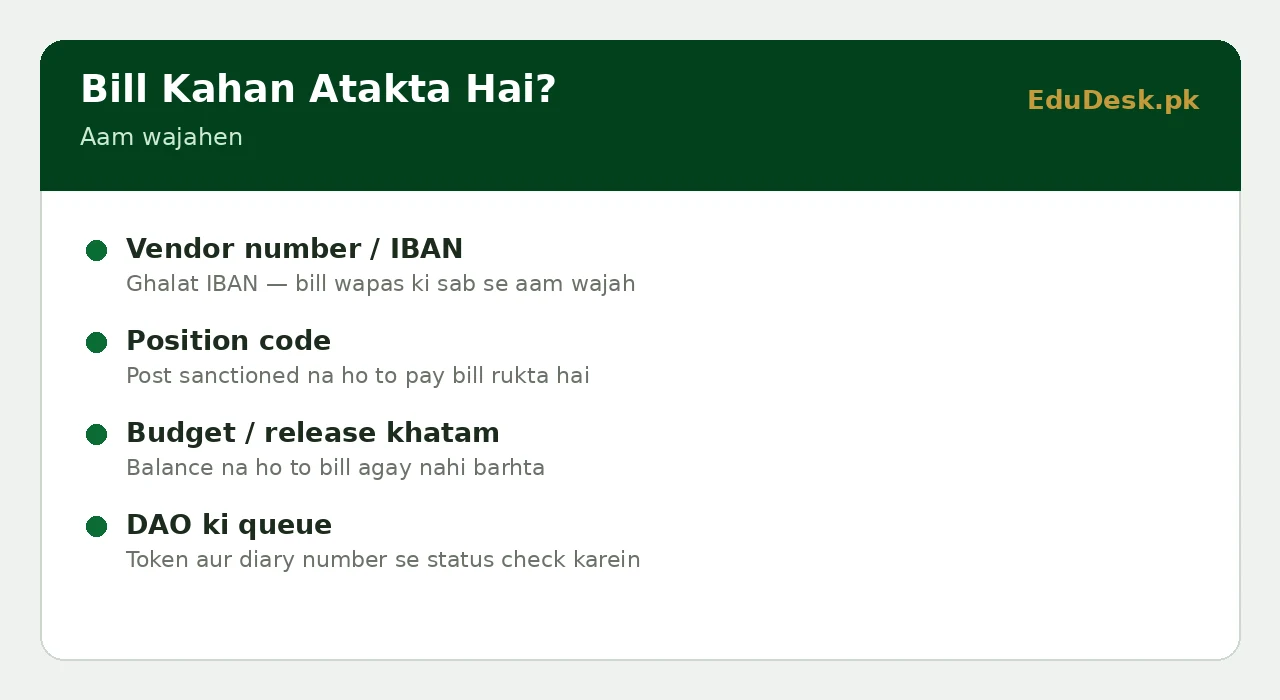
Vendor number and IBAN — why bills get stuck here
This is the quiet reason a perfectly good bill sits unpaid.
Payments to anyone who is not on the payroll — a supplier, a contractor, a rented-building owner, an official claiming T.A — go to a vendor number with a bank account attached. If that vendor record is missing, inactive, or carries the wrong IBAN, the bill can pass every other check and still not pay out.
- Vendor Information — m.pifra.gov.pk/vendor_info
- Vendor Number / IBAN Information — m.pifra.gov.pk/iban
Check the vendor record before you submit a contingent bill, not after it comes back. It takes a minute and saves a fortnight.
Never share a vendor’s full account details
A vendor record ties a name to a bank account. Verify it on the portal, note what you need, and don’t circulate screenshots of it in WhatsApp groups. The same applies to anything you pull off these services — an office’s financial data is not for group forwarding.
Monthly reconciliation: your figures against the DAO’s
Every DDO is supposed to reconcile monthly with the District Accounts Office. The DDO Reconciliation Statement is served from the same BER address (m.pifra.gov.pk/DDOALV).
The point of reconciliation is not paperwork. It is catching these before they become audit paras:
- An expenditure booked against the wrong object code — very common with allowances.
- A bill drawn by another office landing on your DDO code.
- A pay change — promotion, transfer, increment — that moved money between heads without anyone noticing.
- Your register showing an amount the system never received.
Do it while the month is fresh. A misposting found in the same month is a phone call; the same misposting found in June is a file.
BRING YOUR OWN FIGURES
Builds BM-2, BM-6 and BM-20 across multiple schools, with pay and allowances mapped to the same object codes the BER uses. Print your side of the reconciliation before you go.
Common problems and real fixes
“The page won’t open / browser not supported.”
The system runs on SAP and rejects older or unusual browsers. Use an updated Chrome on a laptop. Try early morning — month-end and the last week of the financial year are the busiest times on these services.
“No data found for my DDO code.”
Check the code character by character against a bill. Then check the fiscal year — a brand-new office or a freshly issued code may have nothing in the year you selected. If both are right, the code may not be mapped yet; your District Accounts Office can confirm.
“The BER shows less budget than our sanctioned allocation.”
That is usually correct, not an error. You are looking at what has been released, not the annual allocation. Releases come through in instalments across the year.
“Our expenditure figure doesn’t match our register.”
Most often one of three things: a bill booked under the wrong object code, a bill from another DDO posted against your code, or a payment that cleared after your register was closed. Reconcile with the DAO and fix it in the same month.
“The bill shows as passed but we haven’t been paid.”
Check DDO Payments Details for the cheque or transfer, then the vendor record. A wrong or inactive IBAN is the usual culprit on non-payroll payments.
“Our head is exhausted and the year isn’t over.”
You need re-appropriation — moving budget from a head with a surplus to the one that is short — sanctioned by the competent authority. Pull the BER first: it is the evidence you need, and no re-appropriation case moves without it.
A word on unofficial “DDO BER” websites
Search for DDO BER and you will find a row of private sites carrying government branding. Some go further and put a form on the page that looks like the official one.
Be careful with those. A form on a private domain that asks for your CNIC, date of birth or personnel number has no business having it — the budget and bill services don’t ask for personal details at all. They ask for a DDO code and a fiscal year, because they are transparency services about public money, not about you.
⚠ The simple rule
Open these services from fabs.gov.pk and check the address bar says .gov.pk. No private website needs your CNIC to show you a budget figure, and none can register you for anything.
This site included. We publish the links and explain the reports — you use the government’s own pages.
RELATED
Vendor Number & Position Code: Why a Bill Won’t Pay →
When the budget is there and the bill still doesn’t pay, it is usually one of these two codes. The five vendor types, the CNIC and personnel-number formatting rules, and what a position code actually is.
RELATED
PIFRA Registration: Get Your Salary Slip by Email →
The other half of the same system — registering once so your monthly salary slip arrives in your inbox, and the three things that trip everyone up.
RELATED
Monthly Expenditure Statement & DDO Reconciliation — Format Guide →
The statement itself, head by head — the monthly expenditure statement format and how to reconcile it against the DAO’s figures.
Frequently asked questions
What does DDO BER stand for?
DDO Budget Execution Report. DDO is the Drawing and Disbursing Officer; the BER shows that office’s budget, releases, expenditure and balance for a fiscal year, broken down by object code.
Do I need a login or password to check the DDO BER?
No. It is a public financial transparency service. You need the DDO code and the fiscal year — no login, no CNIC, no registration.
What is the difference between PIFRA and FABS?
PIFRA was the reform project that computerised government accounts. FABS — the Financial Accounting and Budgeting System — is what the live system is called now, run by the FABS Directorate under the Controller General of Accounts. Same system, current name.
Why doesn’t pifra.gov.pk open?
The old home page is frequently unavailable — on 23 September 2026 it returned a 503 error while fabs.gov.pk loaded normally. Use fabs.gov.pk and its Services section; the individual services still run on the m.pifra.gov.pk address.
Where do I find my DDO code?
On every bill your office submits and on the payroll register you receive from the District Accounts Office. For KP education offices it typically looks like AD-0000. Your DAO can confirm it.
How do I track a bill I submitted to the DAO?
Use the token number issued when the bill was entered, on the Bills Status service at m.pifra.gov.pk/Token_Page. For everything submitted under your DDO code at once, use the Bills Summary Report.
My bill was passed but no payment arrived. What now?
Check DDO Payments Details for the cheque or transfer, then check the vendor record and IBAN. On non-payroll payments a wrong or inactive vendor bank account is the most common cause.
Why is my released budget lower than my allocation?
Because releases come in instalments through the year. The allocation is the annual plan; the released figure is what you can actually spend today. Your spendable balance is released minus expenditure.
What is the difference between A01101 and A01151?
A01101 is Pay of Officer, used for BPS-16 and above; A01151 is Pay of Other Staff, for BPS-15 and below. When someone is promoted into BPS-16 their pay moves from one head to the other, which is a frequent source of reconciliation differences.
Where can I get the official Chart of Accounts?
From the Downloads section of fabs.gov.pk, along with the Manual of Accounting Principles, the Accounting Policies and Procedures Manual and the Financial Reporting Manual.
Can I see another office’s budget?
The service works by DDO code, and the data is published as a financial transparency measure. It reports public budget and expenditure — not anyone’s personal information.
Is any of this a paid service?
No. Every service listed here is free on the government’s own portal. Anyone charging you to check a budget figure or a bill status is taking your money for nothing.
In short
- Start at fabs.gov.pk, not the old PIFRA home page.
- DDO Budget Expenditure for the BER; Bills Status with your token number for a bill.
- Read the released figure, not the allocation — that is what the DAO is working from.
- Reconcile monthly, while a misposting is still a phone call.
- Nobody needs your CNIC to show you a budget figure.
Free tools for the rest of the paperwork
EduDesk builds tools for KPK school and office staff — in the exact formats the office expects.
Expenditure Generator
Monthly statement, object code by object code
Budget Generator
BM-2, BM-6 & BM-20 across schools
Salary Slip Downloader
Your slip by name, personnel no & CNIC
KPK Salary Calculator
Pay & allowances from BPS and stage
Disclaimer: EduDesk.pk is an independent resource — not a government website and not affiliated with FABS or the Controller General of Accounts. Budget and bill figures on the official systems are the record that prevails.