

Published: October 23, 2026 • Updated: November 21, 2026
PIFRA Salary Slip Download — Every Legitimate Way to Get It
Short answer: your PIFRA salary slip arrives in your registered Gmail inbox every month, automatically. Open Gmail, search “PIFRA”, open the email and download the PDF — slips typically land in the first week of the month. The three routes below cover how to get it. You can check salary slip KPK online in two ways — by email (PIFRA registration) or through your DDO/AG office.
You want this month’s pay slip. Maybe for a loan application, maybe for a pension case, maybe just to check what was deducted.
Search for it and you’ll find a row of websites promising an instant download if you enter your CNIC. None of them can do that — and you should not give them your CNIC. There is no public lookup of government salary data by CNIC, and there should not be, because it would expose everybody’s pay.
What actually exists are three legitimate routes. Here they are, in the order you should try them. No shortcuts, no CNIC lookups — just the official KPK salary slip download routes that actually work.
THE SHORT VERSION
- Best: register once on the official PIFRA portal — the slip then arrives in your email every month, free, forever.
- Fastest today: your DDO or accounts office can print it from the payroll register.
- If your office uses EduDesk: pull it yourself from the office’s slip page.
- If the PDF asks for a password, it is usually your CNIC without dashes.
ON THIS PAGE
How to Check Salary Slip KPK Online (Step by Step)
Route 1 — PIFRA email registration
THE OFFICIAL ROUTE · FREE · PERMANENT
Register once, get the slip every month
Government payroll runs on one central system — the project was called PIFRA, and the live system is now FABS. Your salary data already sits in it. Registering simply tells the system where to email your copy.
It takes about five minutes, and the slip then arrives automatically in the first week of each month, for the rest of your service.
What you need: your government code (KP school and district staff = DGN, provincial employees = N), your personnel number from the AG Office, your CNIC as 13 digits with no dashes, your date of birth as recorded in government records, and an email address you will keep for years.
The registration page sits on the government’s own address — check it ends in .gov.pk before you type anything into it.
The three things that trip everyone up
- The personnel number is not your CNIC and not your department ID — it is the AG Office employee number, usually 8 digits.
- The date of birth must match the payroll record, not your memory.
- There is often no confirmation email — the slip simply starts arriving with the next payroll cycle. Don’t re-register.
FULL STEP-BY-STEP
PIFRA Registration: Get Your Salary Slip by Email →
The complete guide — government codes, where to find your personnel number, what to do when verification fails, and how to change your registered email later.
Route 2 — your DDO or accounts office
FASTEST IF YOU NEED IT TODAY
Ask for a print from the payroll register
Every month your office receives the payroll register from the District Accounts Office. Your slip is in it. A DDO or the office clerk can print or photocopy your page the same day.
This is the route to use when you need a slip now — for a bank, a loan file, or a case that is already in motion — and you have not registered for the email yet.
Register for the PIFRA email anyway. Route 2 depends on somebody being in the office and willing; route 1 arrives on its own.
Route 3 — your office’s own slip page
ONLY IF YOUR OFFICE PUBLISHES ONE
Pull your own slip, without the queue
Some offices publish their staff’s slips on a small KPK salary slip download page, so that 150 employees do not make 150 separate trips. If your DDO has set one up, you enter your name, personnel number and CNIC, and get only your own slip.
EduDesk builds these pages for offices that want one — the office uploads the payroll file once and the page does the rest. If your office already uses it, the address will have been circulated to staff.
For DDOs reading this
If you want to stop answering “where is my slip?” twenty times a month, this takes about ten minutes to set up from the payroll file you already receive. Each employee sees only their own record — verified against name, personnel number and CNIC.
The password that opens the PDF
PIFRA slips often arrive as an encrypted PDF. People assume the file is corrupted; it is not.
The password is usually your CNIC without dashes — all 13 digits. In some cases it is just the last four digits of your CNIC. Try the full CNIC first.
Once registered, you can use the salary slip download PDF option on the portal with your personnel number and CNIC (check salary slip KPK PDF).
When the slip never arrives
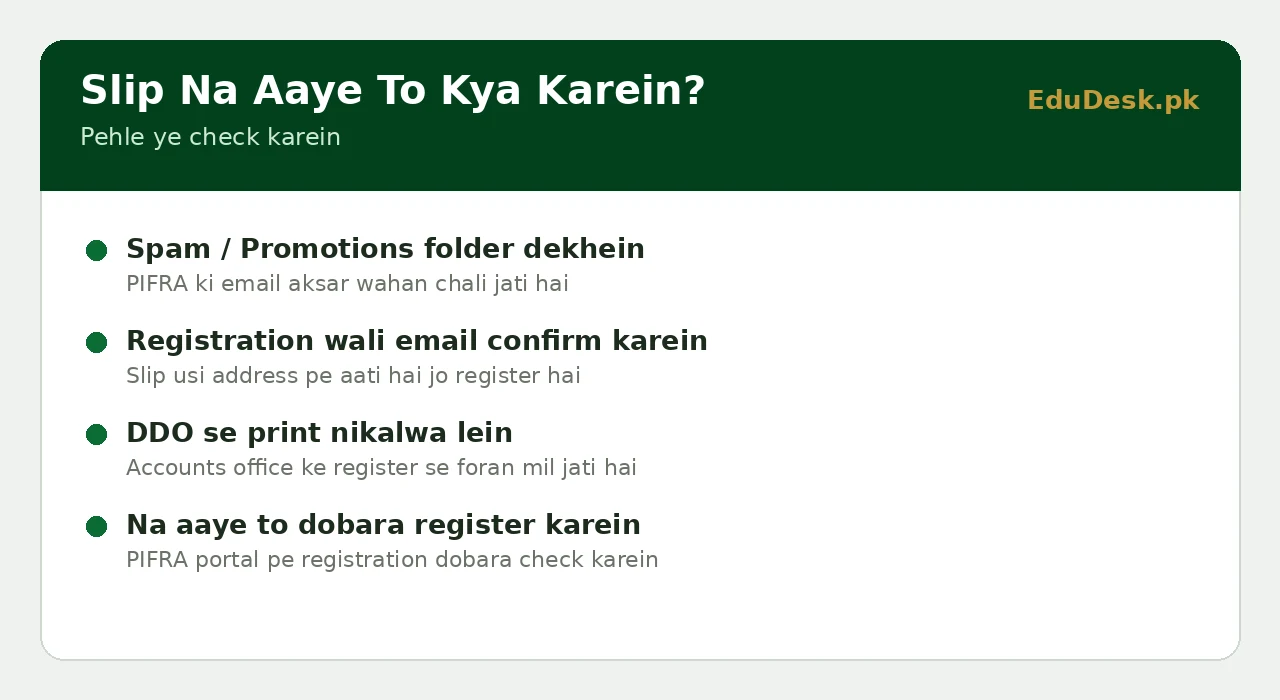
Check Spam and Promotions first
This is the number one cause, and the slip is almost always sitting in one of them. In Gmail, go to Settings → Filters and Blocked Addresses → Create a new filter, enter the government sender’s domain, and tick Never send it to Spam. Thirty seconds, and you never lose one again.
You registered but nothing came for a month
Wait one full payroll cycle before concluding anything. There is often no verification email at all, so the absence of one proves nothing.
Verification failed during registration
What you typed and what the AG Office holds are different. Check the personnel number first — it is the usual culprit — then the date of birth, then the CNIC. If all three are right, the record itself may be wrong, and only your DDO can get that corrected.
You changed your email address
You cannot edit it on the portal. The old address has to be removed from the record first, then you register again with the new one. Registering a second address without removing the first usually keeps the slips going to the old inbox.
You are newly appointed and nothing works
Your record may not be in the payroll yet. New appointments take a cycle or two to appear — and if the post has no position code, the pay has not started at all. Ask your DDO to confirm you are on the payroll.
Pension slip — a different thing

A pension slip is not a salary slip and does not come from the same place. If you are drawing pension, your pay slip route no longer applies; pension payments are handled through the pension record and the bank.
For pension enquiries — pension slip, GP Fund balance sheet, income tax statement — the Accountant General Khyber Pakhtunkhwa runs an online enquiry form for exactly these, and your District Accounts Office holds the record. Start with your DAO.
⚠ Why no website can look up your slip by CNIC
A salary slip carries your full pay breakdown, your deductions and your personal details. If any website could produce one from a CNIC alone, anyone could produce yours — your neighbour, your landlord, a stranger.
That is exactly why the official system emails the slip to an address you registered, and why there is no public search. Any site offering “KPK salary slip download by CNIC” is either collecting your data or wasting your time. Close it.
This site included. We explain the routes; the slip comes from the government, or from your own office.
KPK salary slip download: frequently asked questions
How do I download my KPK salary slip online?
Register once on the official PIFRA portal on a .gov.pk address, and the slip is emailed to you every month automatically. There is no public page where you type a CNIC and download a slip.
Is there a fee to get my salary slip?
No. It is a free government service. Anyone charging you to register or to fetch a slip is running a scam.
What is my personnel number and where do I find it?
It is the unique employee number assigned by the AG Office, usually 8 digits. It is not your CNIC and not your department ID. Find it on any earlier salary slip, on the payroll register, or ask your DDO.
What is the password for the PIFRA salary slip PDF?
Usually your CNIC without dashes — all 13 digits. In some cases it is just the last four digits of your CNIC. Try the full CNIC first.
My salary slip stopped arriving. What should I do?
Check Spam and Promotions first, which is where it usually is. If it is genuinely not arriving, your registered email or your payroll record may have changed — speak to your DDO.
Can I get a salary slip for a past month?
Yes — from your office. The payroll register for each month is held by the DDO and the District Accounts Office, and a page can be printed from it. The email route delivers the current month only.
Can I check my salary slip with just my CNIC?
No, and you should be wary of any site that says otherwise. Salary data is not published, because a public lookup would expose every employee’s pay. The official system emails the slip to a registered address.
Is a pension slip the same as a salary slip?
No. Pension is paid through the pension record, not the payroll, so the salary slip route does not apply. For pension slips, GP Fund balance sheets and income tax statements, go through your District Accounts Office or the Accountant General Khyber Pakhtunkhwa’s enquiry form.
I am a new teacher and have never received a slip. Why?
Your record may not be on the payroll yet, or the post you were appointed against may have no position code, in which case the pay has not started. Ask your DDO to confirm both.
Can private employees get a slip this way?
No. Only government employees whose salary is drawn through an Accountant General or District Accounts Office.
In short
- Register on the official PIFRA portal — once, free, and the slip arrives monthly for life.
- Need it today? Your DDO can print it from the payroll register.
- PDF asks for a password? Your CNIC without dashes.
- Nothing arrived? Spam and Promotions, then your DDO.
- No website can fetch your slip from your CNIC. Nor should one be able to.
Free tools for the rest of the paperwork
EduDesk builds tools for KPK school and office staff — in the exact formats the office expects.
- Salary Slip Downloader — If your office publishes through EduDesk
- KPK Salary Calculator — Pay & allowances from BPS and stage
- Payroll Forms Generator — PAYO1 · FO2 · FO3
- Letter Bank — Office letters, ready to print
Disclaimer: EduDesk.pk is an independent resource — not a government website, and not affiliated with FABS, the Controller General of Accounts or any District Accounts Office. Salary slips are official payroll documents; where anything here differs from your accounts office’s practice, the official channel prevails.





3 Comments
Comments are closed.